
Smart sampling and tiers
Sample production conversations, screen them in tiers, and distinguish dashboard controls from advanced policy fields available through the API.
Smart Sampling reduces continuous evaluation volume in two stages:
- Sampling chooses a percentage of eligible conversations.
- Tiers run different scorer groups and escalate selected conversations when a previous tier fails.
Before you start
Create an eval job, attach at least two compatible scorers, and run a representative manual cohort first. Review recent traffic volume, observed failure rates, and available Premium credits. Every scorer used in a tier must already be attached to the job. Smart Sampling has its own policy switch, but automatic processing also requires the eval job's separate Enabled switch to be on.
Configure it in the dashboard
Open an eval job's Settings tab. Smart Sampling appears below the job name, dataset, scorer count, and total-item summary.
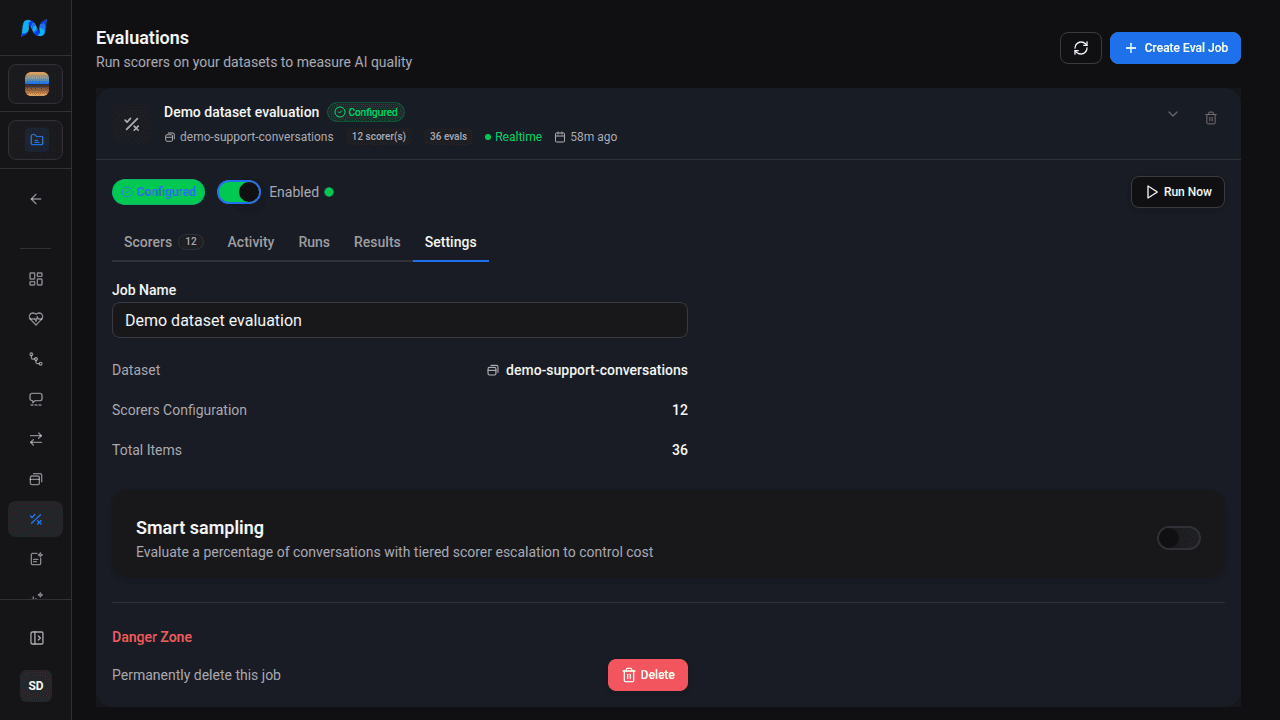
Enable Smart Sampling to reveal the sample rate, tier editor, failure gates, and preview. This saves the policy; it does not enable the eval job itself.
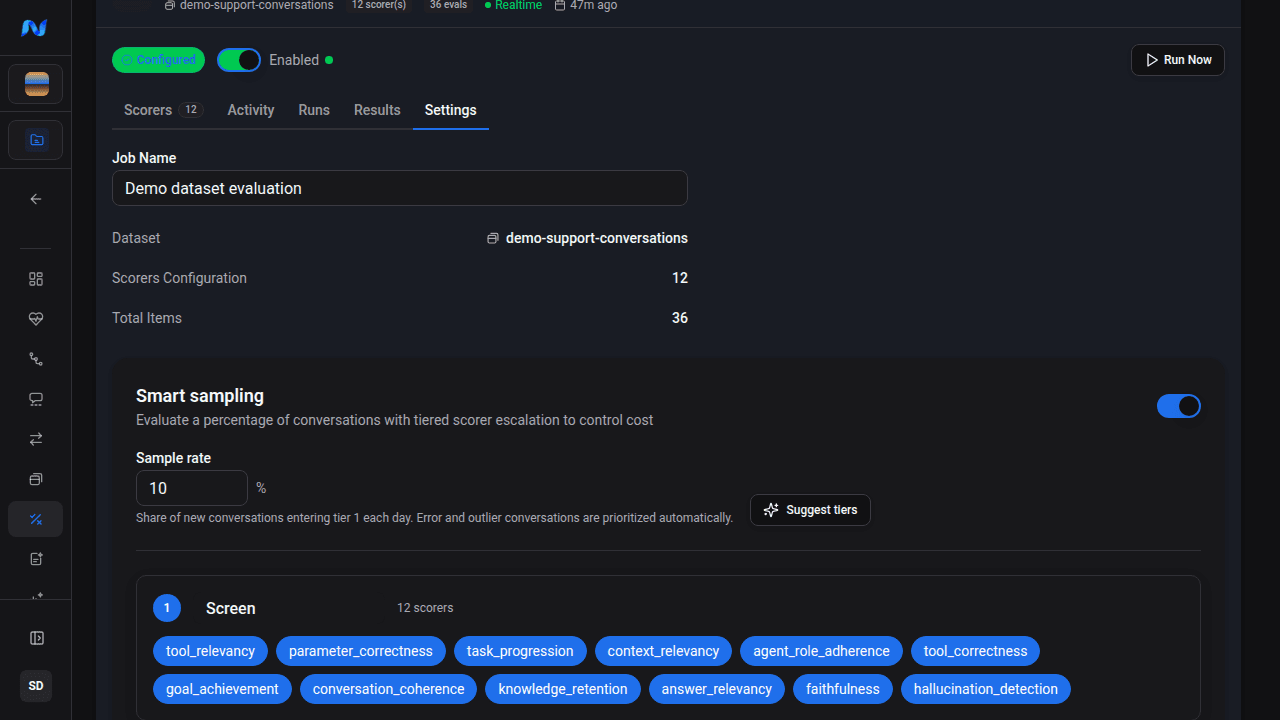
The current dashboard exposes:
| Control | Current behavior |
|---|---|
| Sample percentage | Accepts 0.1-100%; a new policy starts at 10%. |
| Suggest tiers | Uses recent volume and scorer failure history to propose a policy; requires at least two job scorers. |
| Tier name and scorers | Assigns each job scorer to at most one tier. Up to five tiers are supported. |
| Gate scorer toggles | For a later tier, escalate when any selected scorer from the immediately previous tier failed. |
| Preview cost | Projects daily conversations and credits from the trailing seven days of volume and recent scorer failure rates. |
| Status badges | Show today's candidates, sampled conversations, escalations, a credit pause, or the last coordinator error. |
Tier 1 has no gate because every sampled conversation begins there. Every later tier must select at least one failure gate from the immediately preceding tier.
Build and save the tier funnel
Turning the switch off on a job with a saved policy saves the job without that policy. It does not delete the job's scorers or past sampling runs.
The dashboard's gate editor creates failed conditions combined with OR and evaluated across any turn. Numeric score gates, AND, and average-across-turn gates exist in the API schema but are not dashboard controls.
A practical tier layout
Use inexpensive, broad checks first and narrower premium scorers later. For example:
- Screen - free format, latency, link, retrieval, or other deterministic scorers on every sampled conversation.
- Investigate - premium relevance, faithfulness, coherence, or tool-use scorers only when a selected Screen scorer fails.
All scorers used in a tier must already be attached to the eval job. A scorer cannot appear in two tiers.
Advanced policy fields in the API
The evalPolicy API schema supports controls that the current dashboard does not edit:
Sampling fields
| Field | Allowed values | Server default |
|---|---|---|
sampling.boostShare | 0-0.5 | 0.3 |
sampling.adaptiveShare | 0-0.5 | 0.2 |
sampling.stratifyBy | Up to three of agent_name, duration_bucket, hour_of_day | agent_name, duration_bucket |
sampling.boosts | Up to 20 boost rules | trace error, cancellation, duration outlier, turn-count outlier |
An attribute boost rule accepts eq, neq, contains, gt, or lt with a string or numeric value. Built-in rules are trace_error, cancelled, duration_outlier, and turn_outlier.
The server fills these defaults when the dashboard saves its smaller policy object. Their absence from the form does not mean the coordinator performs a purely uniform random sample.
Escalation fields
The API supports failed, lt, and lte conditions. Conditions can use or or and, and can evaluate any_turn or the conversation avg. Numeric conditions require a value from 0 through 10.
The same validation rules apply to UI- and API-created policies:
- every tier contains at least one scorer
- tiers are disjoint
- Tier 1 has no
escalateIf - every later tier has a gate
- a gate references only scorers in the immediately previous tier
What changes after saving
For an eval job whose policy and separate job Enabled switch are both on:
- the normal automatic evaluation path defers selection to Smart Sampling
- the Smart Sampling coordinator scans new eligible conversations and advances its watermark
- sampled runs carry a tier number; escalated runs link to their parent run
- reaching the credit limit records a
creditspause instead of continuing to enqueue paid work
A regular dashboard Run evaluation remains available and creates a normal manual run with its chosen filters and scorers. It does not automatically use the saved tier policy. API callers can request an ad-hoc policy run with useSampling: true; that option cannot be combined with a scorer override because tier scorer sets come from the policy.
Choosing a percentage
Start from the cost preview rather than a universal traffic threshold. Increase the percentage when important cohorts are too sparse; decrease it when stable high-volume traffic is consuming credits without changing the signal. Revisit the tier gates when escalation volume differs sharply from the preview.
Expected result
Settings shows a saved sampling percentage, disjoint scorer tiers, valid failure gates, and a daily conversation and credit preview. With the job also enabled, new eligible conversations create tiered runs according to the policy, while manual Run evaluation remains available for a separately chosen cohort.
Troubleshooting
| Symptom | What to check |
|---|---|
| Suggest tiers is unavailable | Attach at least two scorers to the eval job |
| A scorer cannot be selected in another tier | Each job scorer can belong to only one tier |
| Policy cannot save | Empty tiers, duplicate scorers, a Tier 1 gate, or a later tier without a previous-tier failure gate |
| Preview cost is higher than expected | Sample percentage, recent volume, escalation rate, and Premium scorers in each tier |
| Automatic runs pause | Status badges and the recorded credit or coordinator error state |
| Policy is saved but no automatic runs start | Turn on the eval job's separate Enabled switch, then confirm new conversations are eligible |
| Manual run does not follow tiers | This is expected; the regular dashboard run uses its own filters and scorer selection |