
Datasets
Create, version, inspect, and evaluate normalized AI interactions.
A dataset is a versioned collection of evaluation items. Each item preserves the input, output, context, and provenance needed by one or more scorers.
Datasets are the shared boundary between ingestion and evaluation:
Populate a dataset
Production traces
Create an ETL job for a project and environment. Its mapper receives complete traces and emits zero, one, or many normalized items. This is the supported continuous path from production traffic into evaluation.
NovaSynth runs
Initial NovaSynth setup creates or reuses a dedicated dataset, ETL job, and Eval Job. Completed synthetic sessions enter that managed pipeline when their synthetic trace and analysis steps succeed.
Production tracing is not required to execute a NovaSynth session. It remains useful for comparing synthetic results with production behavior.
Direct items
Use the dataset item API when data is already normalized, or copy and move existing dataset items in the dashboard. Direct creation uses the REST item envelope.
The dashboard does not currently convert selected Project Traces directly into dataset items. Use an ETL job when the source is a trace.
Choose an evaluation unit
The item boundary should match the behavior being scored:
| Evaluation goal | Useful item boundary |
|---|---|
| Response relevance or safety | One model response or conversation turn |
| Tool selection | One decision with offered tools, selected call, arguments, and result |
| RAG grounding | One query, ordered context, and generated response |
| Conversation quality | One turn with prior context, or one complete conversation |
| Agent outcome | One complete terminal execution with task, steps, result, and exit state |
Use separate datasets when scorer families need materially different item boundaries. Do not assume that one item per model call is correct for every evaluation.
Dataset and item types
A dataset has a declared type: agent, conversational, g-eval, or custom. Each item also carries an item_type in its envelope.
These values describe the intended shape. They do not automatically select scorers or validate that required fields are populated. An Eval Job applies its configured dataset type and scorer set to the selected items, so inspect item content before running it.
Release lifecycle
Every dataset tracks:
current_release: the published release used when no version is specifiednext_release: the unpublished release that receives new item changes
Publishing advances the next release to the current release and preserves earlier versions for reads. The dashboard shows an Unreleased changes banner when the next release differs from the current release.
Review item counts and the version diff before publishing. Eval Jobs currently identify a dataset by ID and slug rather than pinning a release in their configuration.
Inspect items
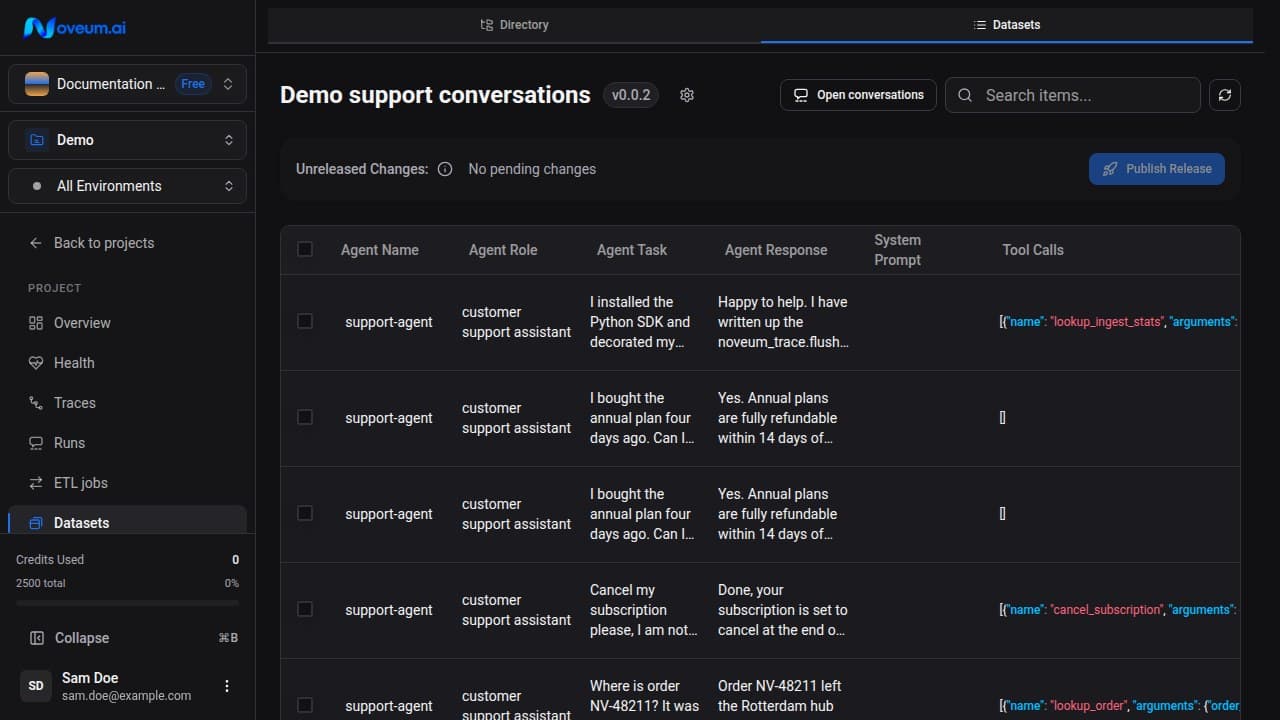
The dataset workspace uses three panes:
- dataset selection
- searchable and sortable item list
- selected item detail
The item detail has three tabs:
| Tab | Contents |
|---|---|
| Overview | Sections for agent, conversation, tools, retrieval, response, and media fields that are populated on the item |
| Score | Per-scorer score, pass verdict, error, execution time, and optional reasoning |
| JSON | Stored item payload and provenance |
Empty sections are omitted. The available evidence depends on the ingestion path and mapper.
Deletion dependencies
Before deleting a dataset, Noveum checks for linked ETL Jobs and Eval Jobs. Update or remove those dependencies before deleting the dataset.