
Dataset-aware analysis
Choose an associated dataset and filter the items NovaPilot should inspect. The run dialog previews the matching item count and credit estimate before launch.
AI-assisted diagnosis
NovaPilot analyzes a selected project dataset, summarizes scorer performance, groups recurring failure patterns, flags potential system-prompt issues, and ranks recommendations by priority, confidence, and effort. Your team implements and verifies the change.
Ranked
evidence-linked recommendations
2
export formats
Manual + scheduled
analysis modes
Recommendation: ground refund answers in policy context #312
NovaPilot report · 36 items · 432 scorer results
Scorer evidence
01: Capabilities
Choose an associated dataset and filter the items NovaPilot should inspect. The run dialog previews the matching item count and credit estimate before launch.
Compare mean score, failure rate, coverage, and validated failures instead of treating one aggregate number as the whole diagnosis.
Failure patterns and system-prompt findings retain affected item or trace identifiers so engineers can inspect the source evidence.
Recommendations retain a report-defined category and include priority, confidence, estimated effort, and predicted scorer impact for triage.
Run an analysis when you need it or schedule a recurring dataset analysis. NovaPilot does not run automatically after every evaluation.
Download completed reports as PDF or Markdown, or email a report to yourself or eligible organization members.
02 - The workflow
NovaPilot produces the diagnosis and recommendation. Your team owns implementation and validates the outcome with new data.
01
Select
Choose an associated project dataset containing the evaluated items you want to analyze.
02
Scope
Use count, time, environment, item type, quality, and content filters to focus the analysis.
03
Analyze
NovaPilot produces a health summary, scorer breakdown, repeated patterns, and ranked recommendations.
04
Review
Inspect affected items and traces, then choose a focused recommendation using priority, confidence, effort, and expected impact.
05
Plan and reevaluate
Hand the selected recommendation and evidence to the responsible team, define the next evaluation, and compare the resulting report with the baseline.
03: Under the hood
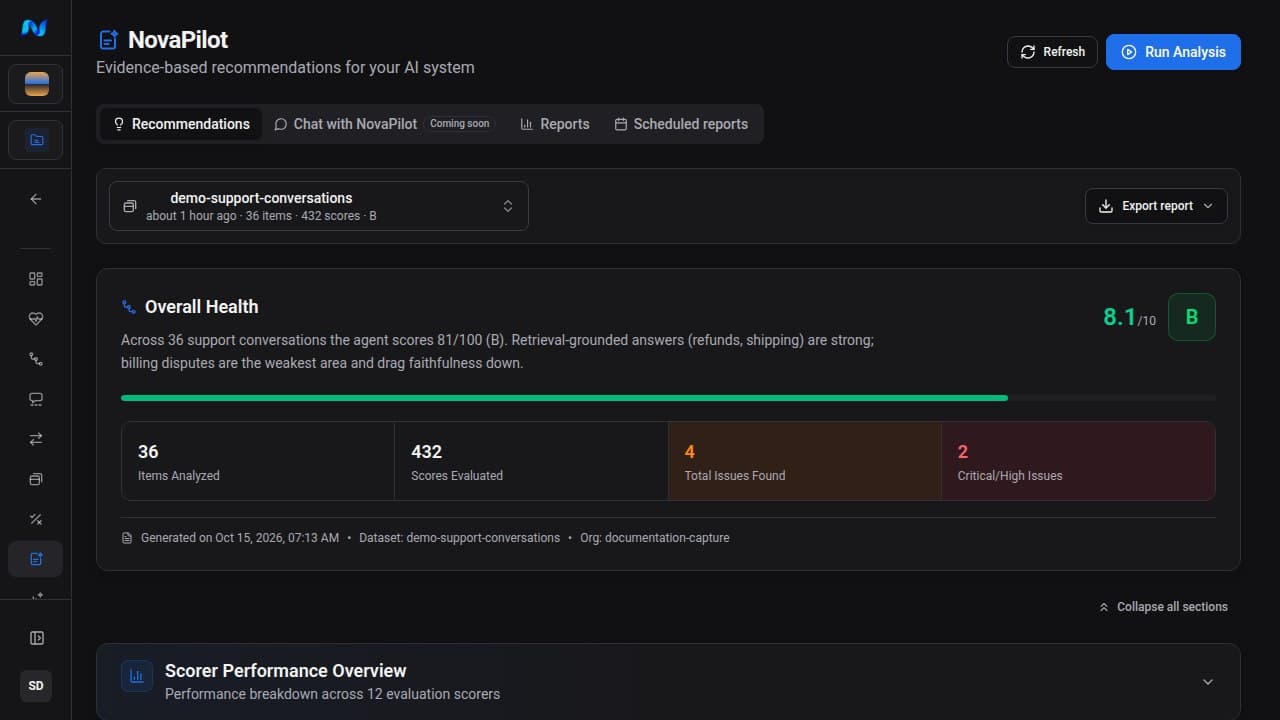
A report combines the selected dataset scope with scorer evidence, repeated failure patterns, and recommendations your team can investigate.
Overall health
A grade and score summarize the analyzed sample alongside item, score, issue, and critical-or-high-issue counts.
Scorer performance
Lowest- and highest-performing scorers include mean score, failure rate, coverage, and validated-failure context.
Failure patterns
Repeated issues are grouped with supporting evidence and the affected items or traces available for follow-up.
System-prompt findings
When the evidence supports it, NovaPilot identifies a system-prompt issue, its severity, and a suggested change.
Actionable recommendations
Each recommendation includes category, priority, confidence, estimated effort, expected scorer movement, and affected evidence.
Export and delivery
Completed reports can be downloaded as PDF or Markdown and emailed from the full report page. Scheduled runs track recipient delivery.
The loop
NovaPilot connects evaluated evidence to the next engineering decision. It recommends changes; it does not edit your application, validate a change, or open a pull request.
Trusted in production by enterprise and high-growth teams