
Guided onboarding
Use the in-product setup flow to connect an application, collect ten traces, build a dataset, run an evaluation, and receive a NovaPilot report.
The Getting started page turns a new organization’s first traces into an evaluation report. It tracks progress across projects, so work you already completed elsewhere in the organization is not repeated.
What the flow creates
The active step also appears in a progress banner elsewhere in the dashboard. Dismissal applies across tabs for the current organization and browser session. It does not delete onboarding progress, and the banner can return in a later browser session.
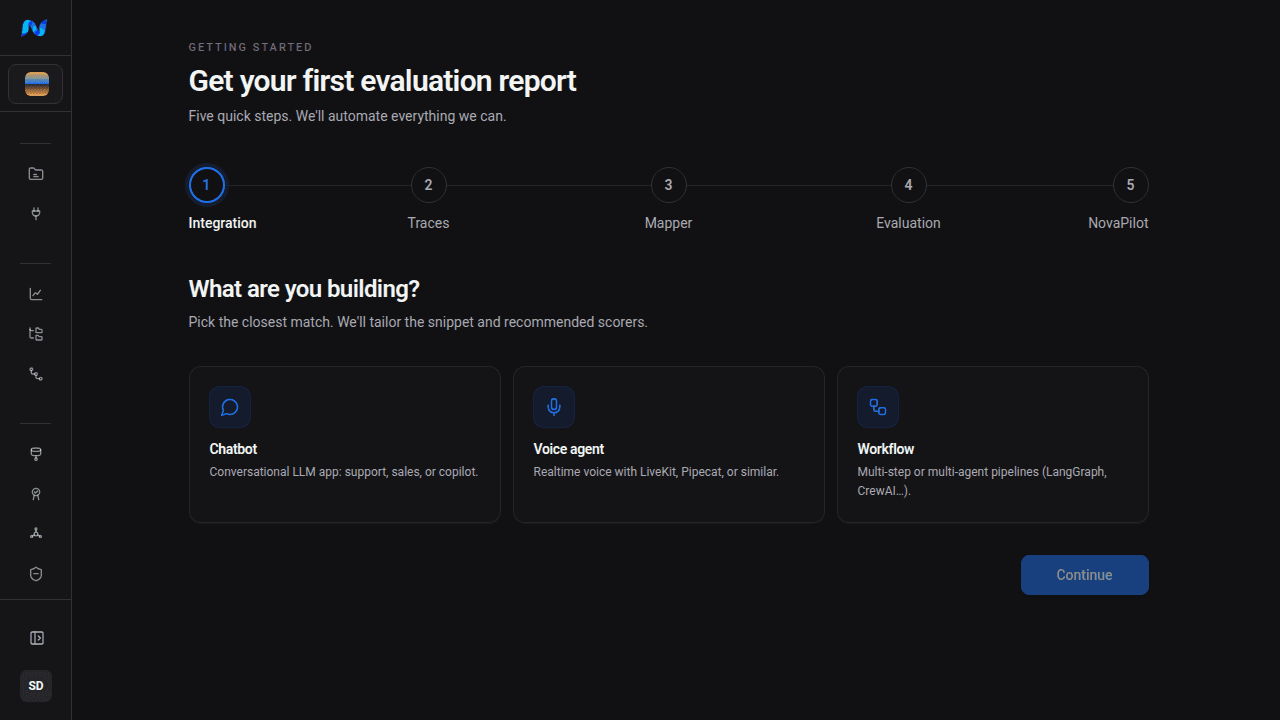
1. Choose what you are building
Select the closest application type:
| Choice | Use it for |
|---|---|
| Chatbot | Support bots, sales assistants, copilots, and other conversational LLM applications |
| Voice agent | Real-time voice applications built with LiveKit, Pipecat, or a similar framework |
| Workflow | Multi-step or multi-agent systems such as LangGraph and CrewAI |
This choice changes the integration snippet and the initial scorer recommendations. It does not lock the project to one framework.
2. Send traces
Choose a framework, install the displayed SDK package, and paste the generated snippet into your application. The onboarding page provides a starter API key and a project name; the first trace for that project value creates the project if it does not exist.
Treat the starter key like any other credential:
- store it in an environment variable or secret manager;
- do not paste it into source control, screenshots, logs, or support messages;
- rotate or replace it before its displayed expiration date.
The flow waits until it has received 10 traces. Run representative requests through the application, then inspect the counter rather than repeatedly reloading the page.
3. Build the evaluation data
After the trace threshold is met, Noveum samples the traces, generates an ETL mapper, validates its output, and retries improvements when validation fails. The generated onboarding assets use a dedicated dataset and ETL job so that you can find and refine them later.
If automatic mapper generation cannot produce valid items, open the project’s ETL Jobs page to inspect the source traces and mapper. See Using the AI mapper for the manual workflow.
4. Review and run scorers
Noveum samples the onboarding dataset and prioritizes scorers that are likely to fit the observed fields. Review that list before running the evaluation: a recommendation is not a compatibility guarantee and does not represent your product’s success criteria. Check each scorer's required fields and test a small run first.
You can remove recommendations or add other scorers from the catalog. A judge workflow that asks for an organization provider requires one; Noveum-managed scorer recommendations do not. Premium scorers consume credits, while scorers labelled Free do not.
5. Read the NovaPilot report
When the evaluation completes, the flow starts a NovaPilot analysis. You may leave the page while it runs. The completed step links to the report, which summarizes scored failures and suggested follow-up work.
The onboarding flow is a starting point. For a durable evaluation program, review the mapper, publish intentional dataset versions, choose thresholds that match your application, and schedule only the jobs whose output your team will act on.
If the organization is already configured
The flow detects work completed in another project and links you back to it. This is expected: onboarding status belongs to the organization, while traces and evaluation assets belong to projects.
Next steps
- Quick setup - send and verify one trace manually
- Closed-loop workflow - understand each asset created by onboarding
- Datasets - inspect and version evaluation items
- NovaPilot - turn evaluation results into an analysis