
Agent connections
Register a runnable LiveKit, Phone, or HTTP Chat endpoint and understand the limits of API-only connection records.
Open NovaSynth → Agent Connections to register deployed endpoints for a project. A run can use only an active connection.
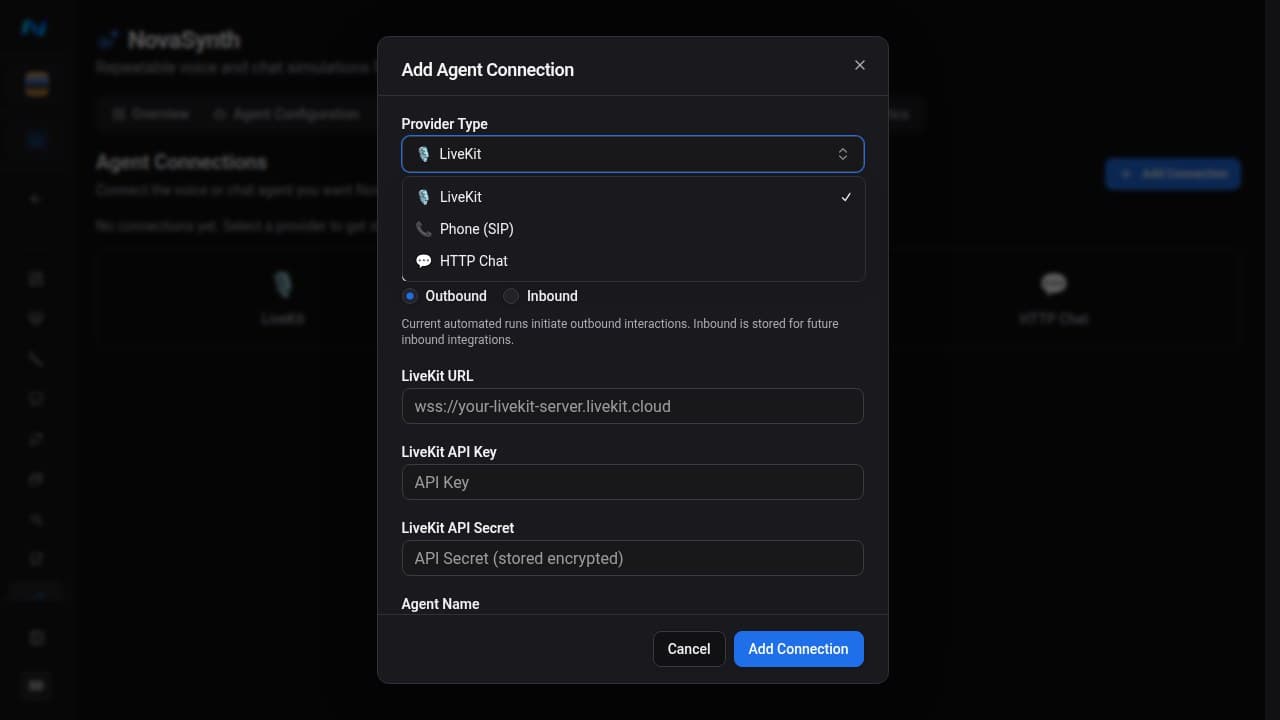
The dashboard's Add Agent Connection flow currently exposes LiveKit, Phone, and HTTP Chat. These are also the only connection types the automated-run worker can execute: LiveKit supports Voice mode in the dashboard and Voice or Text mode through the API, Phone supports outbound and inbound voice tests, and HTTP Chat supports Text mode only. The run wizard lists LiveKit and Phone connections for a Voice Agent and HTTP Chat connections for a Chatbot; see Agent configuration.
Connection support matrix
NovaSynth's endpoint REST API recognizes more record types than the dashboard or execution worker currently supports. Treat persistence, execution, and webhook ingestion as separate capabilities.
| Connection type | Add in dashboard | Persist with endpoint REST API | Automated batch | Developer Calls inline | Developer Calls existing | Provider webhook |
|---|---|---|---|---|---|---|
| LiveKit | Yes | Yes | Voice; Text through the API | Yes | Yes | No |
| Phone | Yes | Yes | Voice | Yes | Yes | No |
| HTTP Chat | Yes | Yes | Text only | Not accepted | No (501) | No |
| WebSocket | No | Yes | No | No (501) | No (501) | No |
| Pipecat | No | Yes | No | No (501) | No (501) | Signed ingestion only |
| VAPI | No | Yes | No | No (501) | No (501) | Signed ingestion only |
| Retell | No | Yes | No | No (501) | No (501) | Signed ingestion only |
| ElevenLabs Conversational AI | No | Yes | No | No (501) | No (501) | No |
Persist with endpoint REST API means the connection can be stored through POST /api/v1/novasynth/agent-endpoints; it does not mean NovaSynth can dispatch a test to it. API-created records can appear in connection-management responses even when the dashboard cannot create or run them.
The Developer Calls request validator recognizes WebSocket, Pipecat, VAPI, Retell, and ElevenLabs credential shapes, but a separate runtime gate currently returns 501 Not Implemented before dispatch. Do not use those types for Calls API tests yet.
Add a connection
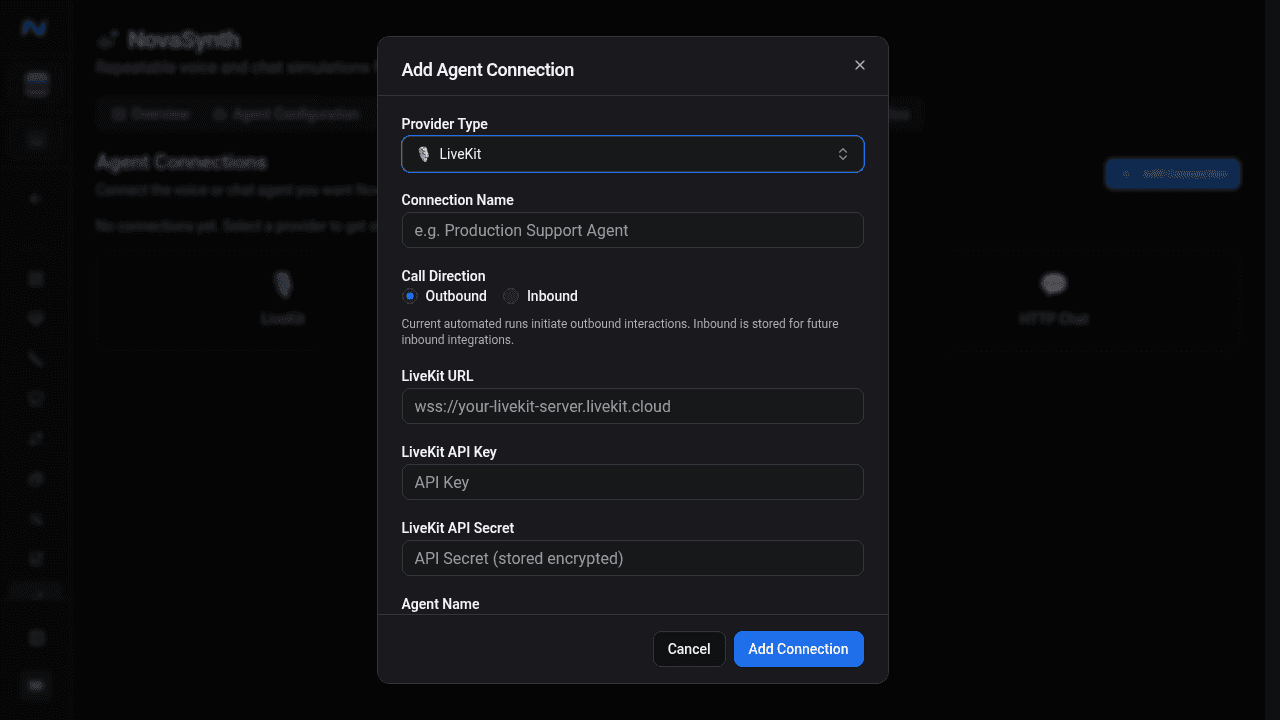
LiveKit and Phone store an Outbound or Inbound direction with the connection:
- Outbound: NovaSynth initiates the interaction with the agent.
- Inbound Phone: your bot calls a provisioned Noveum number after claiming a synthetic run. Follow Inbound calls. Inbound batch execution requires a Phone connection.
HTTP Chat does not show the direction control.
The endpoint REST API can also store the direction flag on API-only connection records, but those records do not gain worker support as a result. Provider webhook ingestion is independent of this flag.
LiveKit
Enter the LiveKit WebSocket URL, API key, API secret, and registered agent name. Use the wss:// URL for the intended test deployment. The secret is stored as a credential and is not shown in the list.
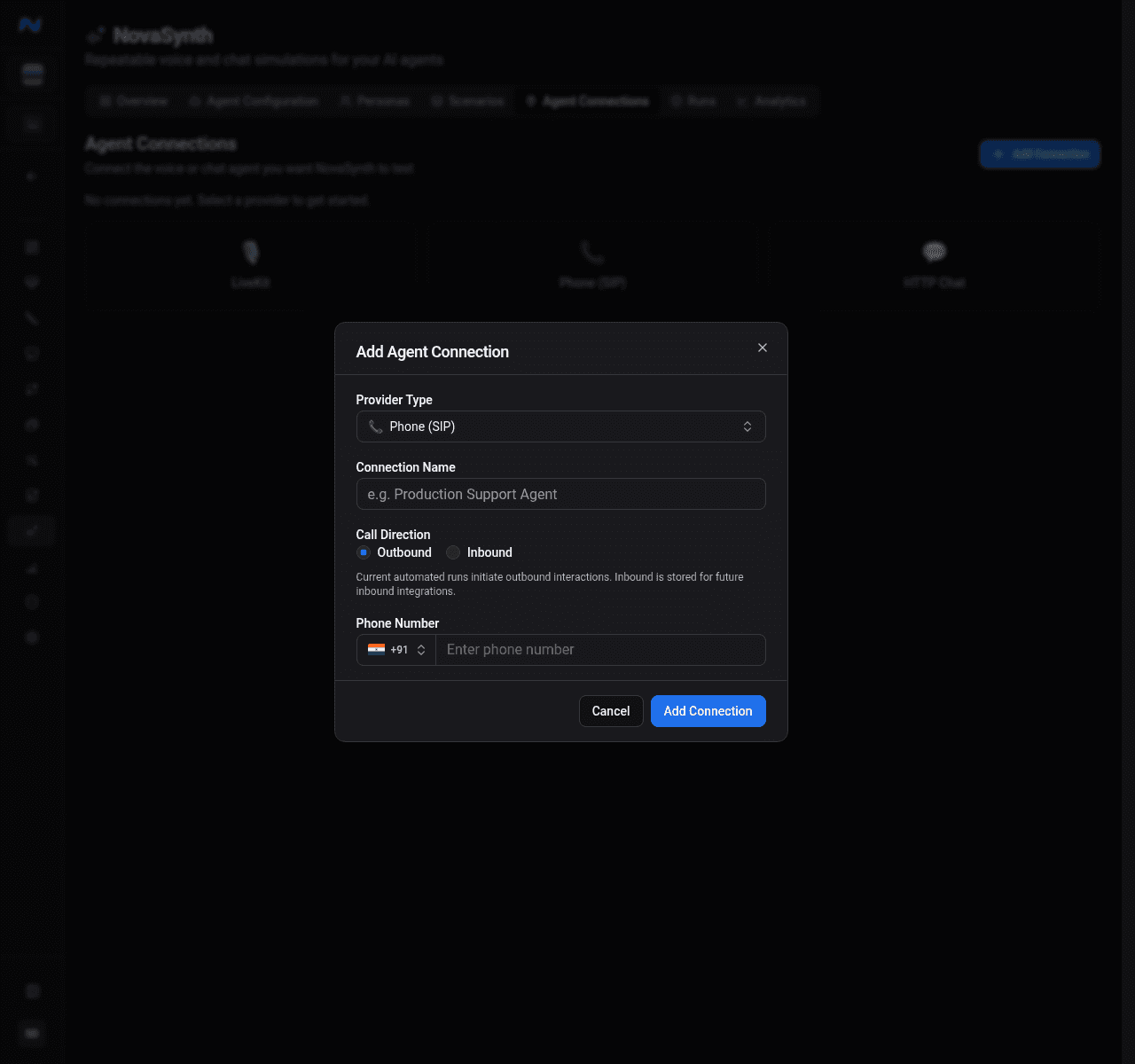
Phone
Select the country and enter a valid phone number. Use a number owned by or explicitly authorized for your test environment.
Run Phone connections in Voice mode. The run builder selects Voice and disables Text for Phone; the API rejects a Phone run submitted as Text.
HTTP Chat
Enter the endpoint URL and select an authentication type:
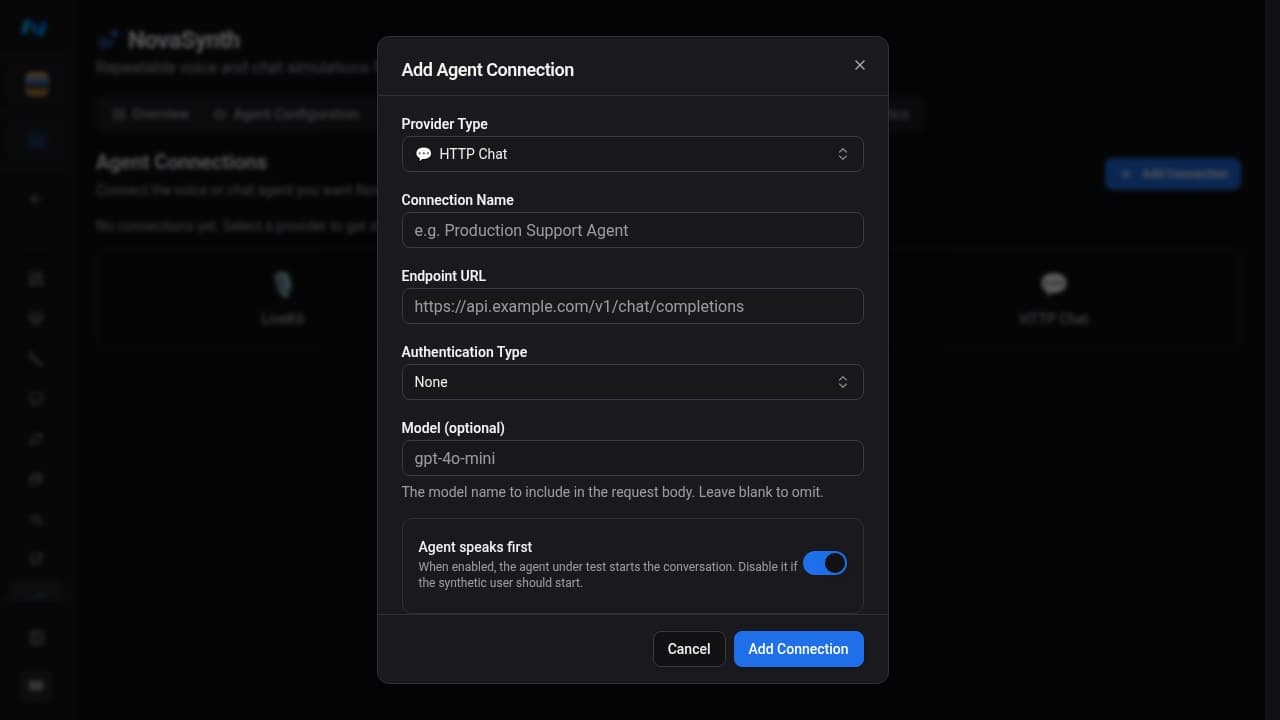
- none;
- bearer token;
- API key;
- basic authentication;
- custom header.
The single Secret / Token field is interpreted according to that choice:
| Authentication | What to enter | Header NovaSynth sends |
|---|---|---|
| None | Nothing | No authentication header |
| Bearer Token | The token only, without a Bearer prefix | Authorization: Bearer <token> |
| API Key | The API-key value | x-api-key: <value> |
| Basic Auth | The Base64-encoded username:password payload, without a Basic prefix | Authorization: Basic <encoded-value> |
| Custom Header | Prefer a JSON object of header names and values, such as {"X-Client-Key":"value"} | Every parsed JSON entry; if the value is not valid JSON, NovaSynth sends it as the raw Authorization value |
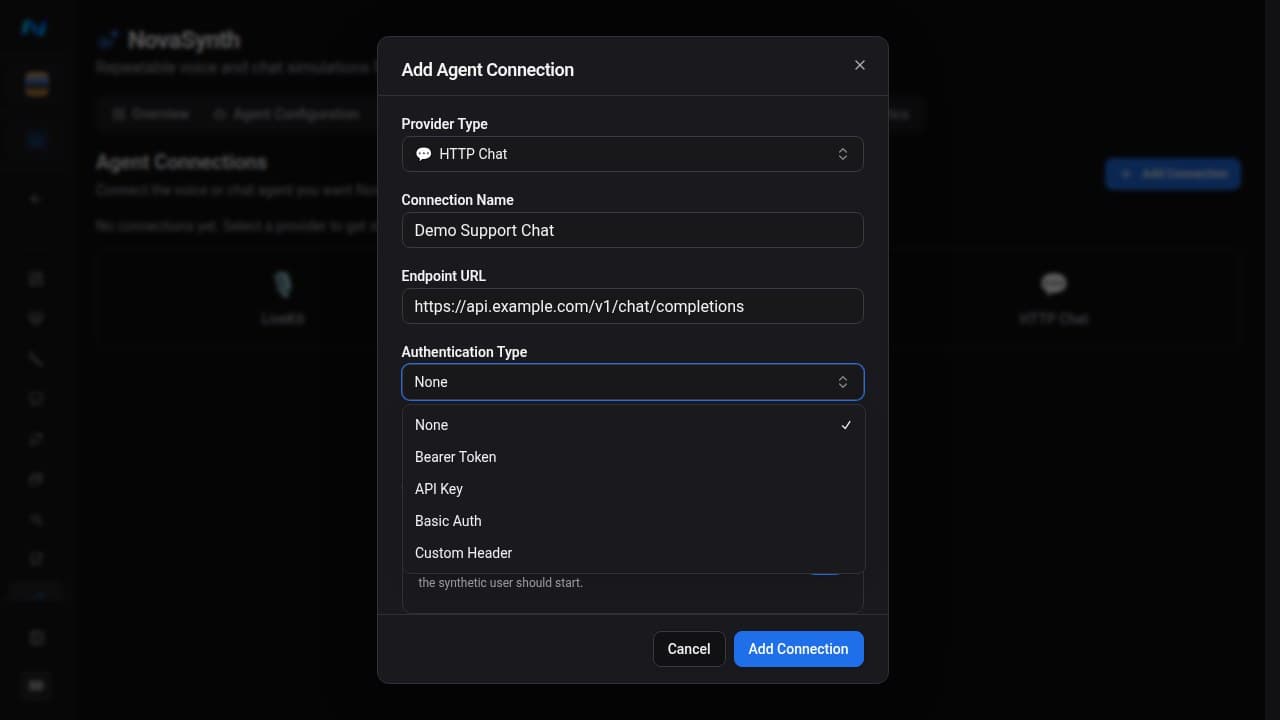
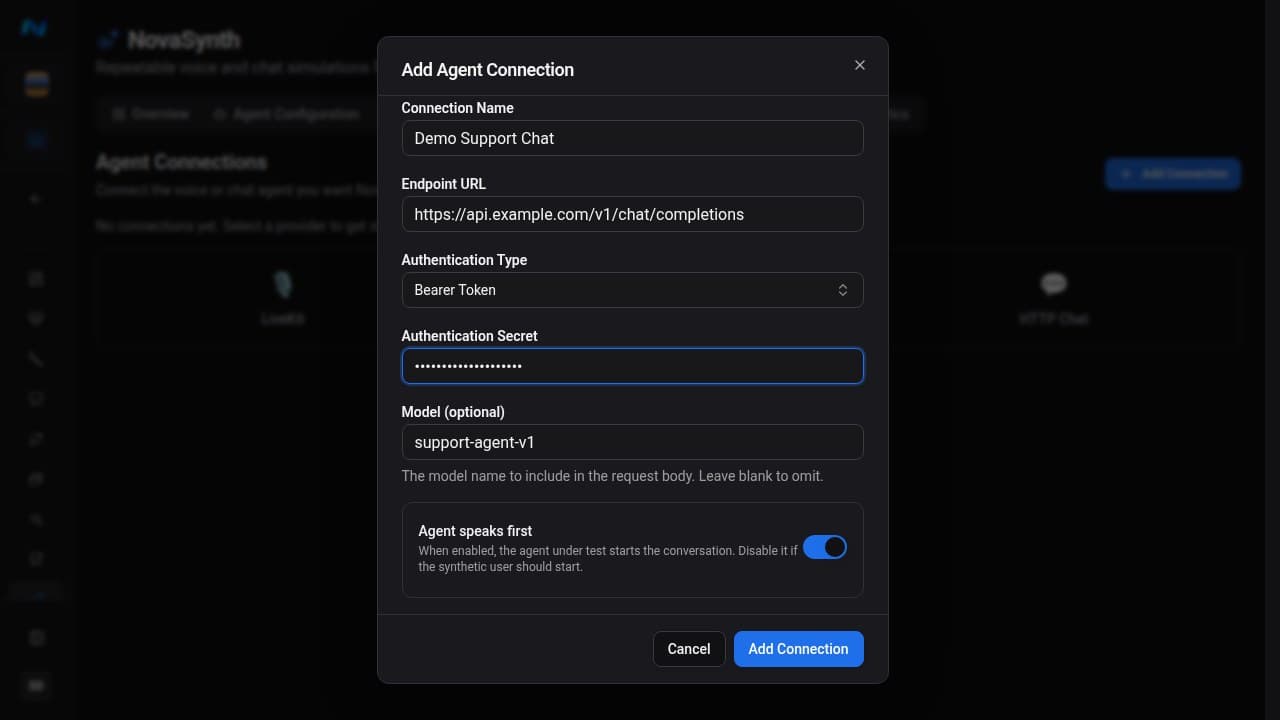
You can also set an optional model and choose whether the agent speaks first. Under Advanced Options, configure request timeout, retry count, extra headers, a JSON body template, and a response JSONPath.
The body template supports {{model}}, {{messages}}, {{message}}, and {{sessionId}}. Leaving the response JSONPath empty uses the OpenAI-compatible response shape.
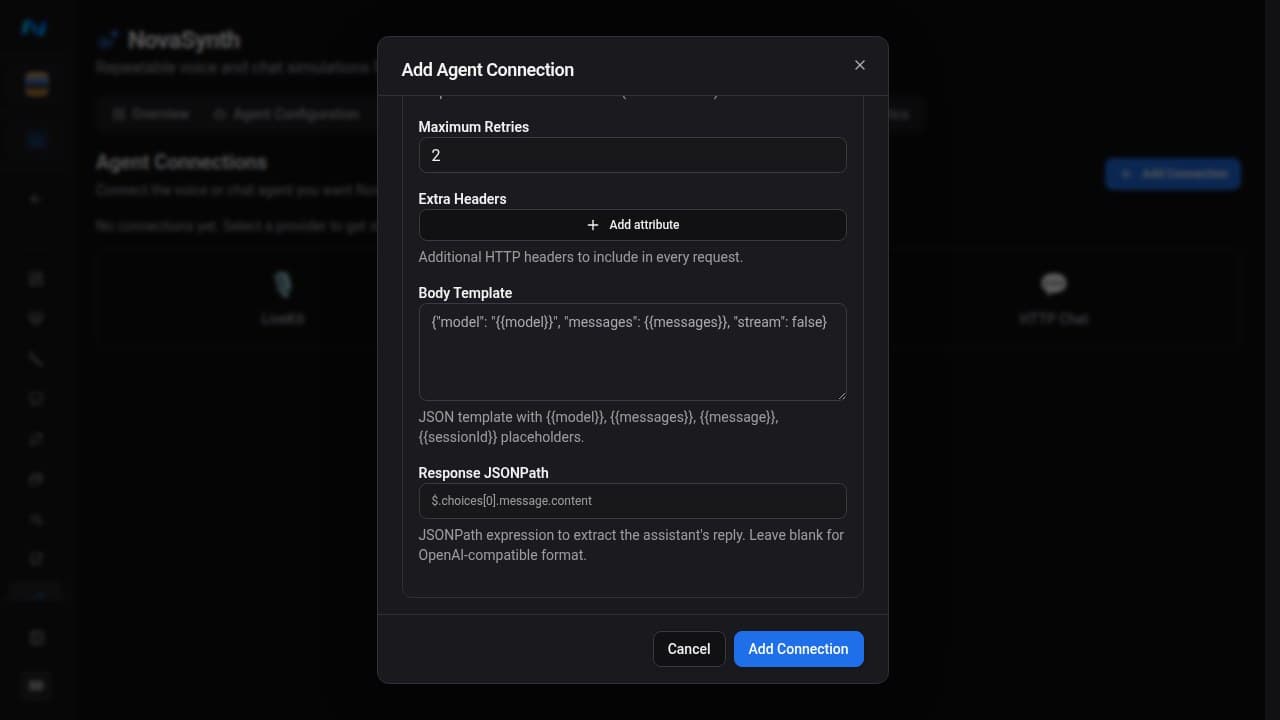
| Option | Effect |
|---|---|
| Authentication type | Chooses where and how NovaSynth sends the stored secret |
| Model | Supplies a model value to templates that include {{model}} |
| Agent speaks first | Lets the tested agent produce the opening message |
| Request timeout | Limits how long NovaSynth waits for one HTTP response |
| Retry count | Controls retries for a failed HTTP request |
| Extra headers | Adds non-secret headers required by the endpoint |
| Body template | Defines the JSON request using the supported placeholders |
| Response JSONPath | Locates the assistant text in a non-OpenAI-compatible response |
Use the dedicated authentication field for secrets. Extra headers and body templates are configuration values and should not contain credentials when the secret field can hold them.
Provider webhook ingestion
NovaSynth has provider-specific, signed ingestion routes for API-created VAPI, Retell, and Pipecat endpoint records:
| Provider | Ingestion route |
|---|---|
| VAPI | POST /api/v1/novasynth/webhooks/vapi/{endpointId} |
| Retell | POST /api/v1/novasynth/webhooks/retell/{endpointId} |
| Pipecat | POST /api/v1/novasynth/webhooks/pipecat/{endpointId} |
Retrieve the secret through GET /api/v1/novasynth/agent-endpoints/{endpointId}/webhook-secret, keep it out of logs, and use it to sign the raw request body. Send the hexadecimal HMAC-SHA256 value in X-Novasynth-Signature. If you also send a Unix timestamp in seconds through X-Novasynth-Timestamp, include {timestamp}. before the raw body in the signed payload; timestamps outside the five-minute replay window are rejected.
The route selects the provider payload parser, so use the route that matches the endpoint record. These routes store an external provider payload and any transcript, recording, or duration fields that can be derived from it. A new webhook record is not automatically linked to, completed as, or evaluated as a NovaSynth run; ETL is enqueued only when that external call already has a mapped run.
Provider webhook ingestion does not let the automated-run worker dispatch a batch to VAPI, Retell, or Pipecat. Conversation Sync is a separate, project-level webhook for compatible integrations, managed through the API; see Agent configuration.
Manage connections
The table shows name, type, endpoint, and active state. Edit a connection to:
- change its name, description, active state, or stored direction;
- update non-secret endpoint settings;
- rotate the LiveKit secret or HTTP Chat authentication secret.
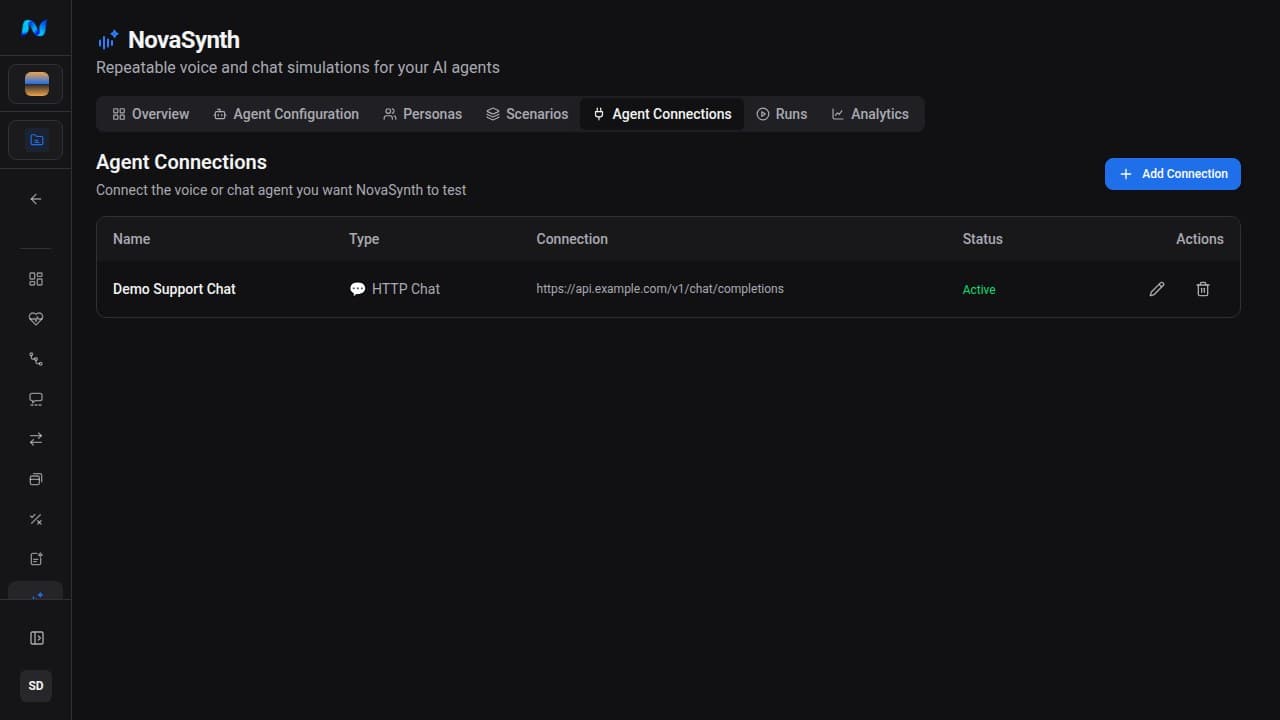
Delete a connection only after confirming no new batch should use it. Completed runs keep their own historical records.
Validate a new connection with a one-pair run at concurrency 1, then inspect the individual run's status, transcript, and error details before increasing the batch size.