
Scheduled reports
Run NovaPilot against a project dataset on a recurring cadence and deliver each completed report by email.
NovaPilot scheduled reports analyze a dataset on a recurring cadence. A report schedule selects a dataset - not an eval job or a list of scorers - and analyzes the matching dataset state each time it fires.
Create a scheduled report
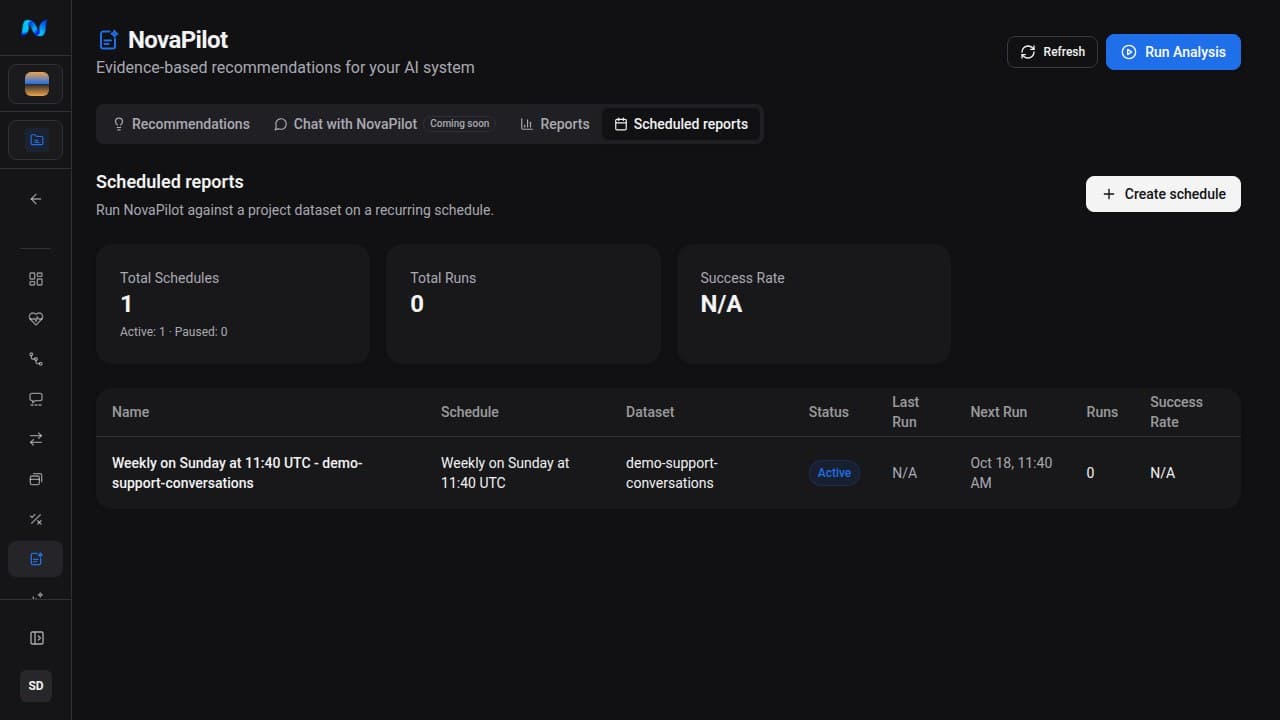
Open NovaPilot → Scheduled reports, review the existing schedules and their next-run state, then select Create schedule.
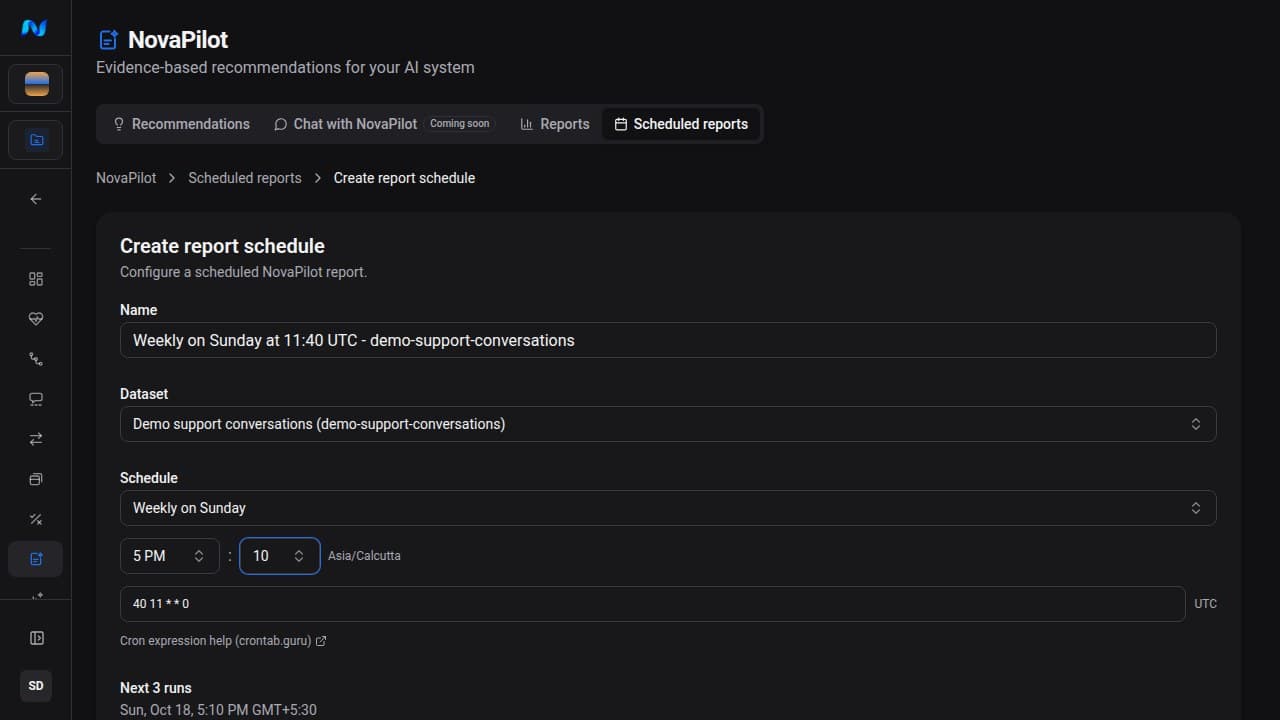
Choose a preset cadence and local time, or select Define cron expression and enter a five-field cron expression.
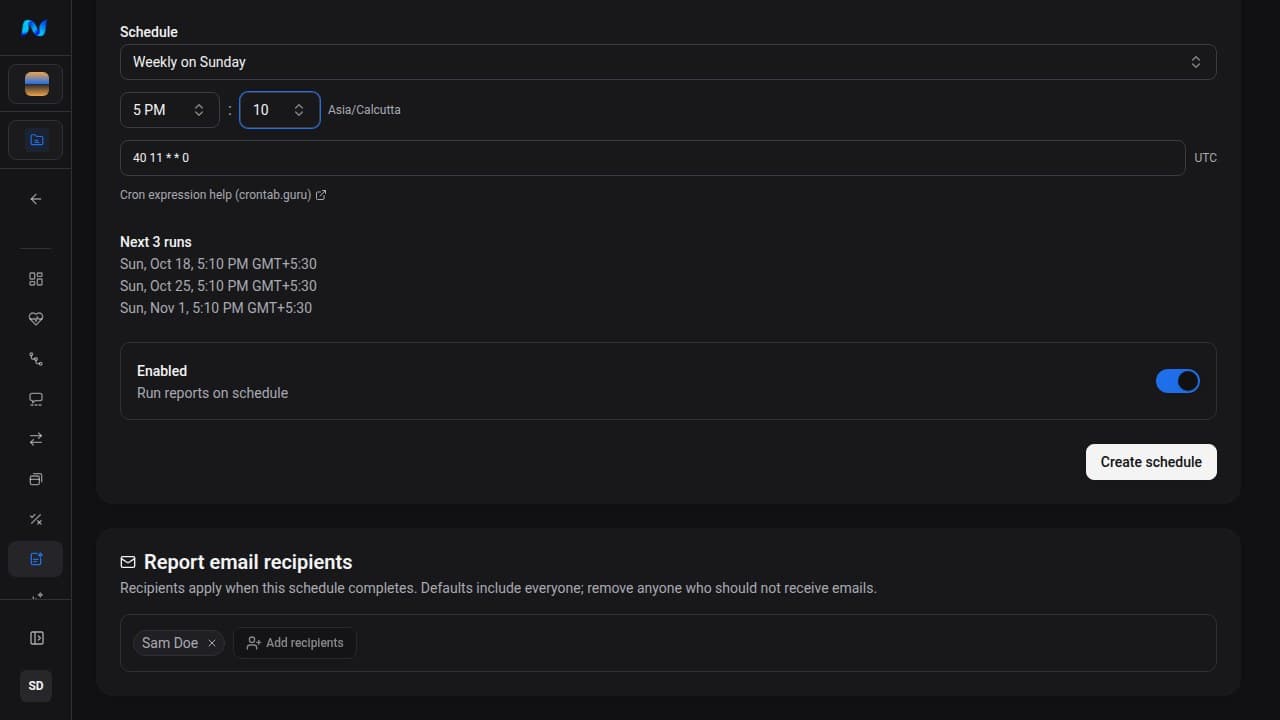
Select the organization members who should receive completed-report emails, then create the report schedule.
Preset cadences include daily, weekdays, selected weekly days, every other day, every 6 hours, and every 12 hours. The time picker uses your browser timezone; the cron expression displayed and stored by the current form is in UTC.
What a scheduled report does
At each scheduled time NovaPilot creates a report for the selected dataset. The schedule does not provide controls for choosing an eval job or scorers. Make sure at least one matching item has a valid scorer result and no more than 10,000 scored items match before the schedule fires.
Each firing rechecks NovaPilot availability and the credit balance before analysis. Credits are charged at 8 per analyzed item with a valid scorer result, with a minimum of 800 credits per run. A disabled entitlement, insufficient credits, a dataset without valid scorer results, or a cohort over the 10,000-scored-item cap records a failed scheduled run with the reason; it does not run and charge the analysis anyway.
Scheduled reports do not have a Run now action. Use NovaPilot → Run Analysis for an immediate report.
Like manual analyses, scheduled reports are recommendations-only. A schedule can generate and email findings, but it never applies a recommendation to your application.
Monitor a scheduled report
The scheduled-reports list shows:
- active or paused state;
- cadence and dataset;
- last and next run;
- total runs and success rate.
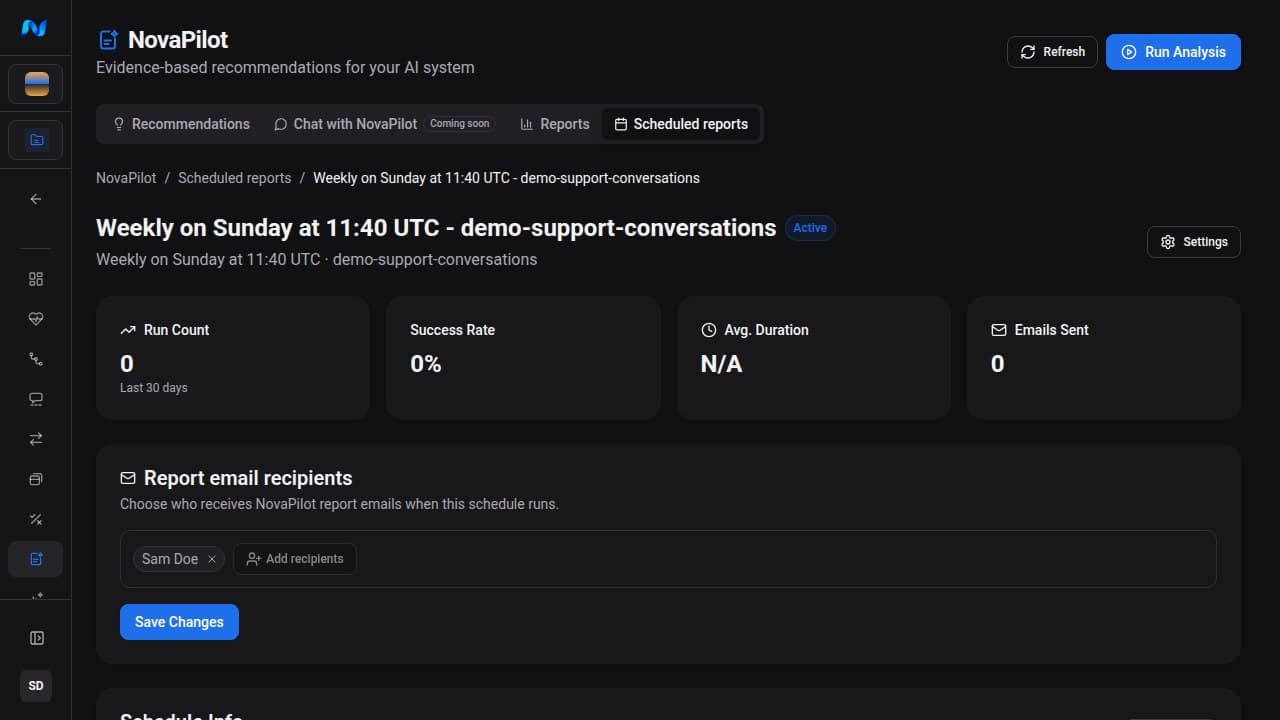
Open a schedule to see its run count, 30-day success rate, average duration, emails sent, next run times, selected recipients, and ten most recent runs. The full run history can be filtered by Pending, Processing, Completed, or Failed.
A scheduled-run detail includes timing, health score and grade, analyzed item and score counts, email-delivery results, logs or errors when available, and a link to the generated NovaPilot report. Completed runs allow Resend Email Report. Scheduled delivery and resends use each recipient's stored interface language, with the default language as a fallback.
Edit, pause, or delete
Open Settings from a schedule to change its name, dataset, cadence, or enabled state. Recipient selection is managed on the schedule detail page.
Deleting a schedule permanently removes the schedule and its schedule-run history. The generated NovaPilot report records are separate and are not deleted by that cascade; review or export them from NovaPilot → Reports according to your retention needs.
Choose a cadence
- Use a weekly scheduled report for stable production monitoring.
- Use daily or weekday scheduled reports during a rollout when data changes quickly.
- Avoid a cadence that is faster than your dataset and evaluation pipeline updates; repeated runs over unchanged data add cost without new evidence.