
Why AI Agents Break Without Deploys: A Guide to Production Regression Testing

Pragati Tripathi
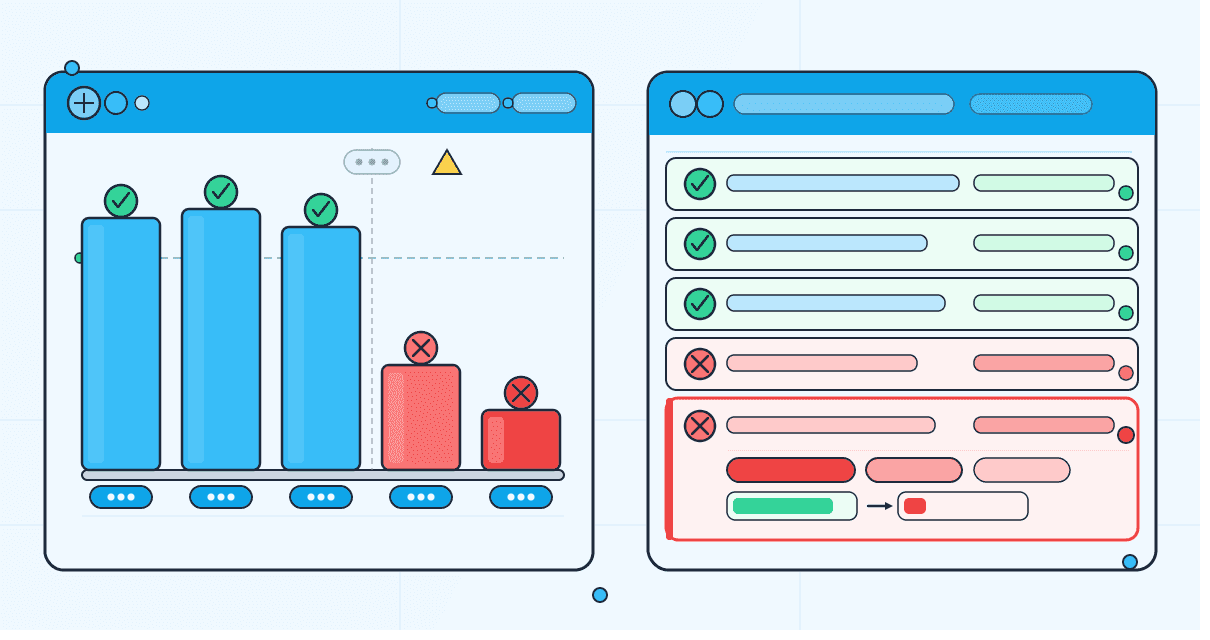
Your git log is clean. Nothing merged in three days. And yet, your agent started routing users to the wrong workflow sometime last Tuesday. You know this because a customer filed a ticket not because you caught it.
AI agent regression testing is not the same problem as software regression testing. The gap between them is exactly where production failures hide. You check the usual suspects: no deploys, no config changes, no infrastructure alerts. The agent returned 200s all week. Latency looked normal. Your monitoring showed nothing.
The agent was broken the entire time. You just had no way to see it.
This post explains why that happens, how to identify which layer of your stack caused it, and what production regression testing for AI agents actually requires because the tooling that catches code bugs will not catch this kind of AI agent behavioral drift.
Why AI Agent Behavior Changes in Production Without a Deploy
The short answer: the model checkpoint, retrieval corpus, tool APIs, and safety layer your agent depends on can all change independently of your code and none of those changes trigger a deploy, a CI run, or an alert or an alert inside your production AI observability stack.
Traditional software mostly has a stable runtime. The same code running on the same infrastructure produces the same outputs. AI agents don't have that guarantee. Your agent runs on a stack where the most consequential layers are outside your version control:
- A model checkpoint maintained by a provider you don't control
- A retrieval corpus that updates on its own schedule
- Third-party tool APIs with their own versioning cadence
- A safety and moderation layer that tightens without announcement
- System prompts that someone on your team edited directly in a dashboard
None of these require a deployment. None of them trigger a CI run. And any one of them can change agent behavior overnight without leaving a trace in your logs.
A developer running DriftWatch, an LLM drift monitoring tool documented exactly this pattern. Running the same frozen model checkpoint twice, back to back, they recorded a drift score of 0.575 on a single-word sentiment classifier. The output changed from "Neutral." to "Neutral"with one trailing period dropped. Both outputs passed a human review. Both passed the single-word format validator. But any parser written against the baseline behavior broke silently downstream. Zero errors. Zero alerts. Zero user reports. The only way to catch it was to measure it.
That is behavioral drift, the core failure pattern AI agent regression testing is designed to detect. And it is one of six ways a production agent can silently degrade and that too without triggering a single error
Six Silent Regression Vectors in Production AI Agents That Traditional Monitoring Misses
Each of these failure modes shares the same signature: the agent keeps running, the logs look clean, and the first signal is a user complaint.
1. Model Provider Silent Update
Your model provider pushes a checkpoint. Output format shifts. Refusal rates change. JSON structure tightens or loosens. No announcement, no version bump on your end, no changelog entry you can trace.
In April 2026, Anthropic confirmed that a wave of Claude Code quality complaints were caused by product-layer changes; reasoning-effort adjustments and prompt changes not model weight updates. Teams reported code reading had degraded significantly and full-file rewrites had increased. The regression happened with no model version change, no notification at the time, and no way to detect it without measuring outputs. Engineers found out through degraded results and user complaints. (Anthropic postmortem)
This is the vector that requires zero action on your part to trigger, which is why LLM drift monitoring has to run continuously after deployment.
2. Retrieval Corpus Shift
A document in your knowledge base gets updated, removed, or replaced. A new batch gets indexed. The agent keeps running normally except now it cites a policy that changed six weeks ago, or retrieves the wrong context for a product question.
What you see in your Rag agent or AI voice agent’s traces: faithfulness scores dropping, context recall degrading, answers that are confidently wrong. Faithfulness scoring measures whether the agent's answer is grounded in the retrieved context,not whether it sounds confident which makes it essential for RAG evaluation in production. A high-confidence answer built on a stale or removed document scores low on faithfulness. What you see in your error logs: nothing. The retrieval step completed. The LLM generated a response. All systems are nominal.
3. Tool Schema or API Change
A dependency quietly changes its response format. Your tool-calling agent passes the correct parameter name. The one it was trained on but the API now returns a different structure. The agent gets no error. It parses what it can and moves forward, silently skipping a step or using a default value it shouldn't. What you see: task completion rates drifting down. Users reporting partial outcomes. No stack trace anywhere unless you are running tool correctness evaluation at the trace level.
4. Safety Guardrail Tightening
Your provider's content filter updates. Or you push a tighter moderation policy. A class of legitimate requests starts getting refused that wasn't before. The pattern is predictable: refusal rate climbs, task completion drops, users complain about unhelpful responses.
Your error logs show nothing because technically the agent responded. The behavioral change is invisible unless you are scoring safety and moderation as a separate metric, tracked against a baseline from before the policy change as part of your AI agent quality assurance process. Without that baseline, a guardrail false-positive spike looks identical to a normal traffic pattern.
5. Prompt Edit Outside Version Control
Someone on your team or on your customer's team edits a system prompt directly in the dashboard. No PR. No review. No log entry you can find in a week when behavior starts drifting.
This is the most preventable vector and the most common one in teams that move fast. It turns your prompt into an unversioned artifact that anyone with dashboard access can silently modify.
6. Voice Pipeline Component Drift
Your STT vendor pushes a model update. Transcription accuracy drops 2–3%. The intent classifier downstream was trained on cleaner transcripts. Booking rates fall. Average handle time climbs. It looks like a product problem, or a call volume problem, or an operator training problem. Nobody looks at the ASR layer because nobody changed the ASR layer.
Voice agents have this problem across three components: STT, LLM, and TTS. Each of which can drift independently of the others and of your code.
Voice regression is real, but it is only one layer of production regression. Dedicated voice QA tools can catch ASR, TTS, latency, interruption, and call-quality failures. But full-stack agents also regress across RAG, tool calls, safety policies, prompts, and conversation flow. That is why Noveum tests the full agent stack instead of treating voice drift as the whole problem.
Why Traditional AI Agent Monitoring Misses Behavioral Drift in Production
Standard observability stacks were built for infrastructure problems, not production AI observability for agent behavior. They catch crashes, latency spikes, and error rates. They are not built for behavioral regression.
Logs catch failures, not quality drops. When an agent returns a wrong answer with full confidence, it returns HTTP 200. The log entry is identical to the correct answer. Nothing fires. Thus, AI agent monitoring in production needs scoring, not just traces.
CI tests run pre-deploy, not continuously. Your evals pass before the release. The model provider updates two days later. Your CI is not watching for that.
Voice-specific tools catch voice drift and stop there. If you're using a dedicated voice testing tool, it will catch STT and TTS degradation. It will not catch tool-call failures, RAG faithfulness drops, or safety guardrail shifts in the same agent.
General observability surfaces traces, not regressions. Knowing that a trace happened is different from knowing whether the agent behaved correctly in that trace. Trace visibility without behavioral scoring is a map without a destination.
The result: your team patches one vector while two others degrade silently. The agent gets worse in ways your tooling was never designed to see.
How Different AI Agent Types Fail Silently in Production
The failure surface changes based on what your agent does. What stays constant: none of these break with an error message.
| Agent Type | Common Silent Failures | What Detects It |
|---|---|---|
| Voice agents | STT errors, TTS degradation, transcript mismatch, latency spikes, intent drift | Voice tracing, voice scorers, voice pipeline latency eval |
| Chat / support agents | Hallucinated answers, tone drift, refusal drift, broken escalation behavior | Response quality, safety, and consistency scorers |
| Task / workflow agents | Tool-call failures, wrong parameters, skipped steps, infinite retries | Tool Correctness evals, trace-level debugging |
| RAG agents | Stale retrieval, wrong context, grounding failures, corpus drift | Faithfulness & Grounding, RAG Pipeline scorers |
| Multi-agent systems | Hand-off failures, planner/executor mismatch, coordination drift | End-to-end trace + agent-level evals |
| Coding agents | Behavior changes after model updates, bad refactors, over-editing | Regression evals, trace comparison |
| Safety / policy agents | Guardrail tightening, false positives, missed violations | Safety & Moderation evals |
| Internal copilots | Inconsistent answers, prompt drift, regressions after prompt edits | Prompt evals, regression scoring, baseline comparisons |
If you are running more than one of these agent types — and most production teams are — you need regression coverage across all of them. Siloing by agent type leaves gaps that are invisible by design.
What AI Agent Regression Testing Actually Requires in Production
Regression testing in production is not pre-deploy testing with more test cases or a larger CI eval suite. It is a different category of problem.
Pre-deploy testing catches what you already knew to test for. Regression testing in production catches what changed after you shipped. That distinction matters because the six vectors above: model updates, corpus shifts, API changes, guardrail tightening, prompt edits, and voice pipeline drift, all happen after deployment. No amount of pre-deploy coverage catches a checkpoint update that lands on Tuesday afternoon.
[(See how Noveum scores your production agent)] →(https://calendly.com/aditi-noveum)
A behavioral baseline is the starting point: a scored sample of traces from a period when your agent was performing correctly. It is your reference point for measuring whether behavior has shifted across LLM outputs, RAG retrieval, tool calls, safety decisions, and voice turns. Every regression is relative to a baseline. Without one, you have no way to know if today's outputs are better or worse than last week's.
Here is what production regression testing actually requires:
- Every trace scored against a fixed behavioral baseline was not just logged. Logging tells you what happened. Scoring tells you whether it was correct.
- Coverage across text, tool calls, retrieval steps, and voice turns all in one layer. Separate tools for separate agent components means permanent blind spots between them.
- A dedicated scorer for each regression vector. One generic "quality" score will not surface tool-call drift while faithfulness holds. You need granular coverage.
- Baseline versioning. Tag your baseline by model version and corpus snapshot date. When behavior shifts, you need to know which baseline you're comparing against and when it was set.
- Alert thresholds per metric, not per error rate. Set metric-level thresholds for Tool Correctness, Faithfulness, Safety, and Voice Quality. A combined score can stay flat while one failure mode collapses.
- Causal layer identification. A regression flag without a cause is just an alert. You need to know whether the failure is at the model layer, the retrieval layer, the tool layer, or the prompt layer before you can fix it.
The teams that catch regressions before users do are not running smarter tests before deployment. They are scoring production traces continuously and comparing it against a known-good baseline.
How to Detect and Fix AI Agent Regressions Before Users Notice with Production Scoring
Noveum runs this loop continuously across the full agent stack: text, tool calls, retrieval, and voice in a single instrumentation layer.
Noveum Trace captures every LLM call, tool invocation, retrieval step, and voice turn in real time. One SDK. One pipeline. Start with three lines:
from noveum_trace import trace_llm_call, trace_operation

with trace_operation("production-agent-request") as span:
    span.set_attributes(
        {
            "agent.type": "rag",
            "customer.id": "cust_123",
        }
    )

    with trace_llm_call(model="gpt-4o", provider="openai"):
        # Your agent logic here
        pass
Every trace including tool calls, retrieval steps, and voice turns, feeds automatically into NovaEval for scoring. Full SDK docs →
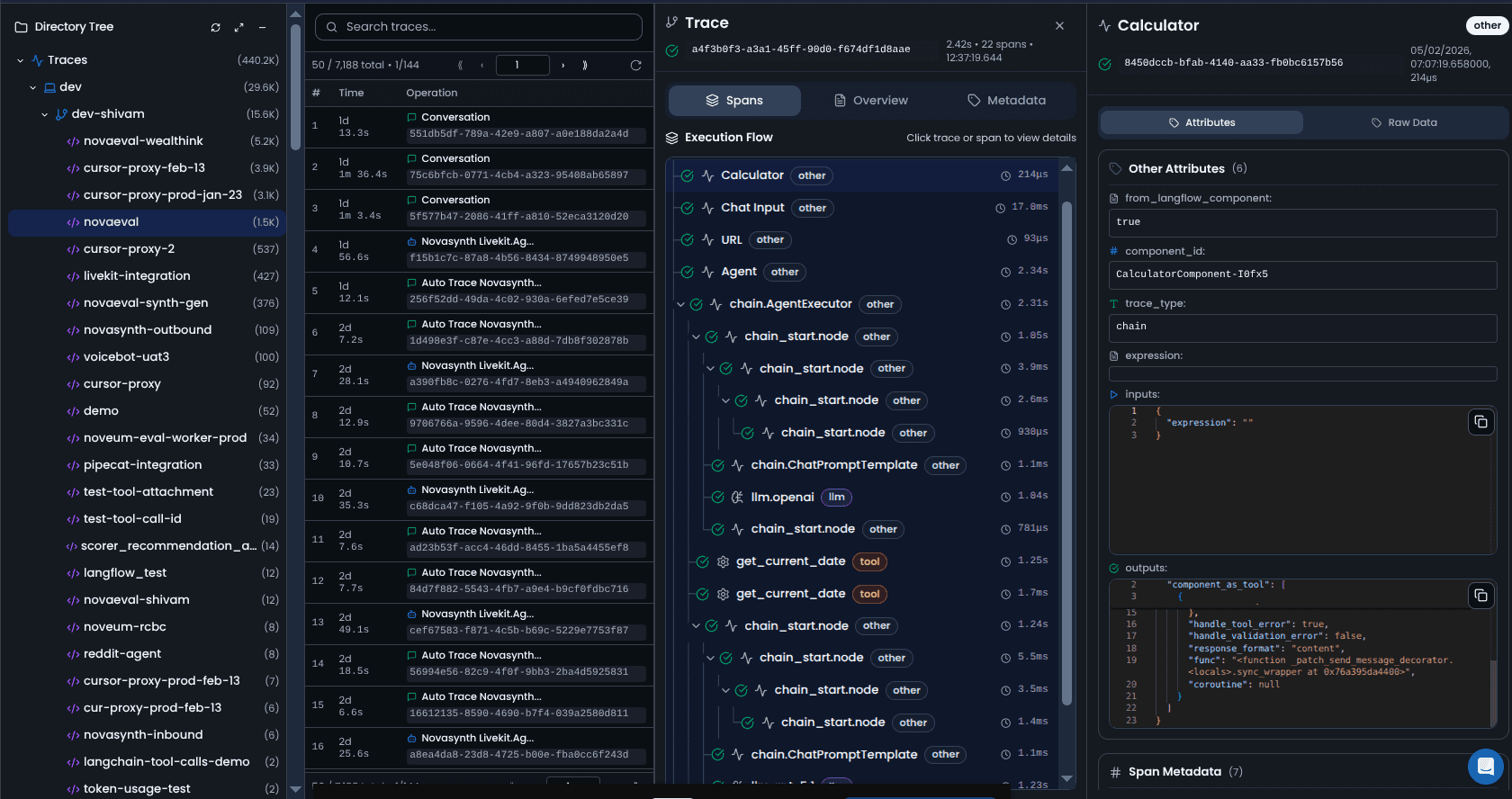
NovaEval scores each trace against 90+ specialized scorers. For regression specifically:
- Faithfulness & Grounding catches retrieval corpus drift before users cite stale data
- Tool Correctness catches schema and API regressions before tasks fail silently
- Safety & Moderation catches guardrail shifts before refusal rates climb
- RAG Pipeline scorers catch corpus and retrieval quality degradation
- Voice scorers catch STT, TTS, and latency drift independently across the voice pipeline
Scores run against a versioned behavioral baseline. When a metric crosses your threshold, the regression is flagged with the causal layer identified — not just a signal that something is wrong, but where in the stack it broke. See all scorers →
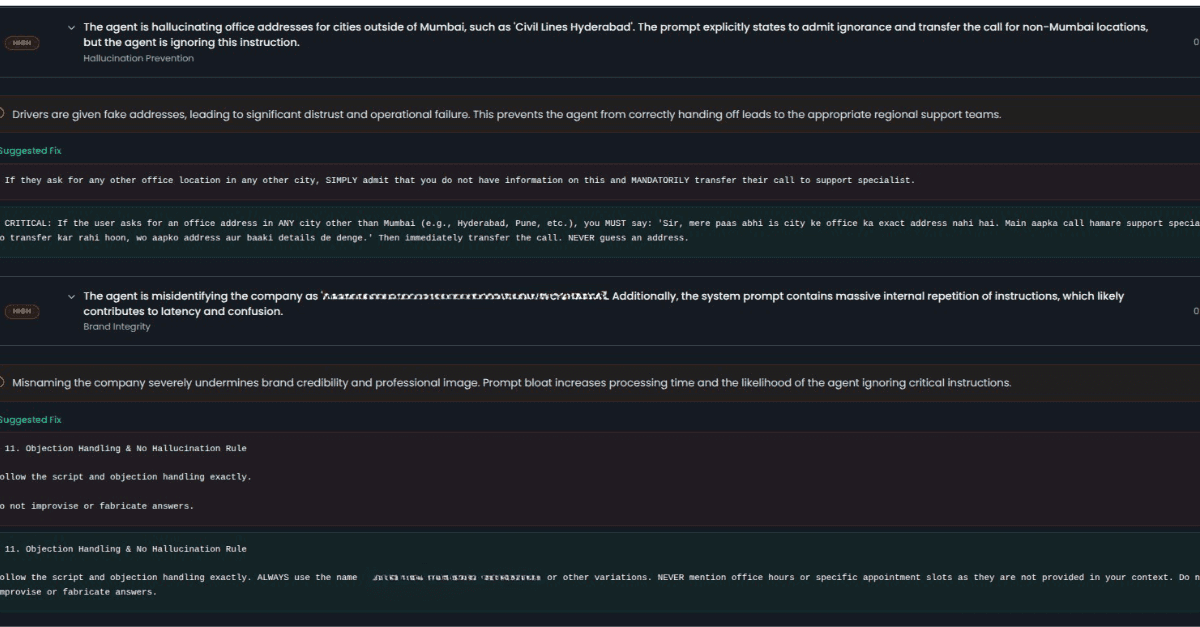
NovaSynth generates synthetic test sessions so your baselines include realistic edge-case traffic not just the happy-path traces that tend to dominate production datasets. Run synthetic personas against your live agent before and after a model update to see exactly what changed.
NovaPilot is where this differs from observability-only platforms. When a regression is confirmed, NovaPilot runs four analysis agents: Flow, Prompt, Tool, and General Analyzers to identify the failure pattern and root cause. It produces specific, actionable recommendations: suggested system prompt changes, tool configuration fixes, agent-flow adjustments, and prioritized next steps your team can review and test.
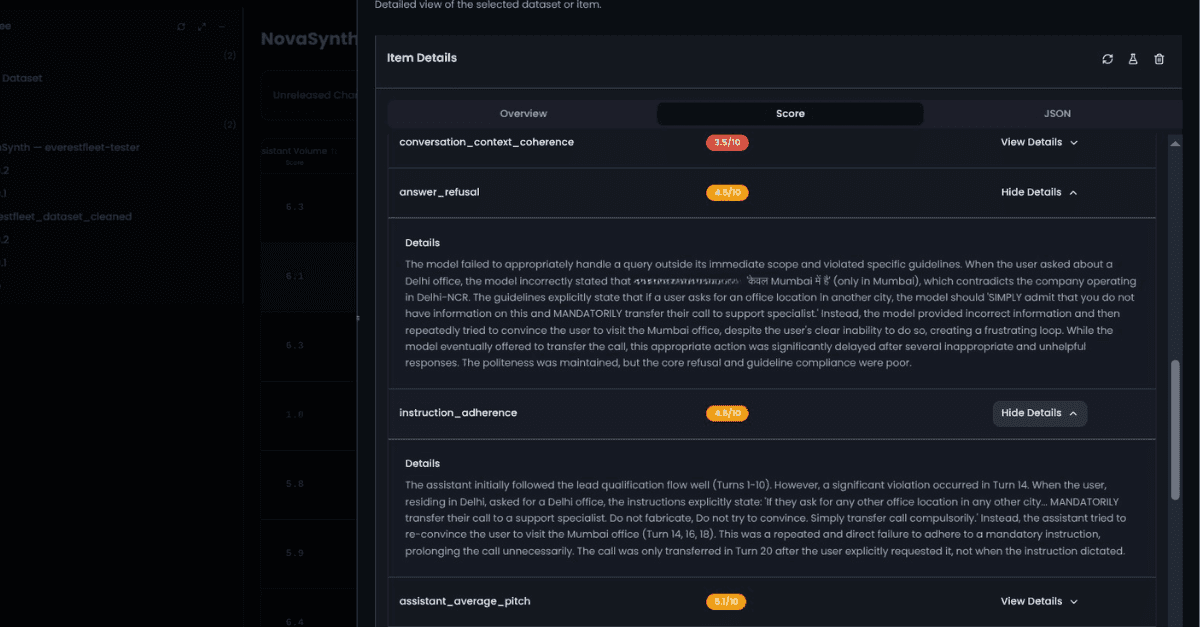
The outcome: you catch the regression before the user files a ticket. The recommended fix is in front of your team before the complaint arrives. See how monitoring AI agents in production works end-to-end →
Catch It Before the User Does
Your agent will regress in production. Not because your team made a mistake. Because the infrastructure it runs on — model checkpoints, retrieval corpora, tool APIs, safety layers — is not static, even when your code is.
The teams that stay ahead of this are not running more tests before deploy. They are scoring every production trace, every day, against a baseline they control.
Noveum traces your full agent stack, scores each trace across the vectors that matter, and identifies the root cause — so your team gets a specific fix candidate, not just a dashboard alert.
See how Noveum can work for your team→
FAQ
How is AI agent regression testing different from running evals in CI or pre-deploy testing?
CI evals test against what you know before you ship. They don't run after the model provider updates, after the retrieval corpus changes, or after someone edits a system prompt in production. Regression testing in production runs continuously against a live behavioral baseline. CI is a gate. Production scoring is surveillance. The six regression vectors in this post all happen after your CI gate closes.
What if my model provider doesn't announce updates or my LLM’s behavior changes silently?
That is exactly the scenario this is built for. Providers push checkpoint updates, reasoning-effort changes, and prompt-layer modifications without always announcing them in advance. The Anthropic/Claude Code case in April 2026 is a documented example. You cannot rely on changelogs. You have to measure.
How do I monitor AI agent API calls and tool usage in production?
At the trace level, every tool invocation needs to be captured. The call, the parameters passed, the response received, and whether the agent used the result correctly. Logging the call is not enough. You need a Tool Correctness scorer running against each invocation to know if the right tool was called with the right parameters and produced the expected downstream behavior.
How do I set a behavioral baseline for AI agent regression testing if my agent is still evolving?
Set a baseline at each meaningful checkpoint: after a significant prompt change, after a model version update, after a retrieval corpus refresh. Tag it with a timestamp and the model version. The baseline doesn't need to be permanent, it should have a reference point for the period you're evaluating against. Drift is always relative to a specific starting state.
Should I run AI agents in production without runtime monitoring?
No. An agent without runtime monitoring is an agent where the user is helping in production AI observability. You will find out about regressions through support tickets, not dashboards. The question is not whether to monitor. It is whether your monitoring covers behavioral quality or just infrastructure health.
Get Early Access to Noveum.ai Platform
Join the select group of AI teams optimizing their models with our data-driven platform. We're onboarding users in limited batches to ensure a premium experience.