
How to Monitor AI Agents in Production: The Complete Guide

Shashank Agarwal
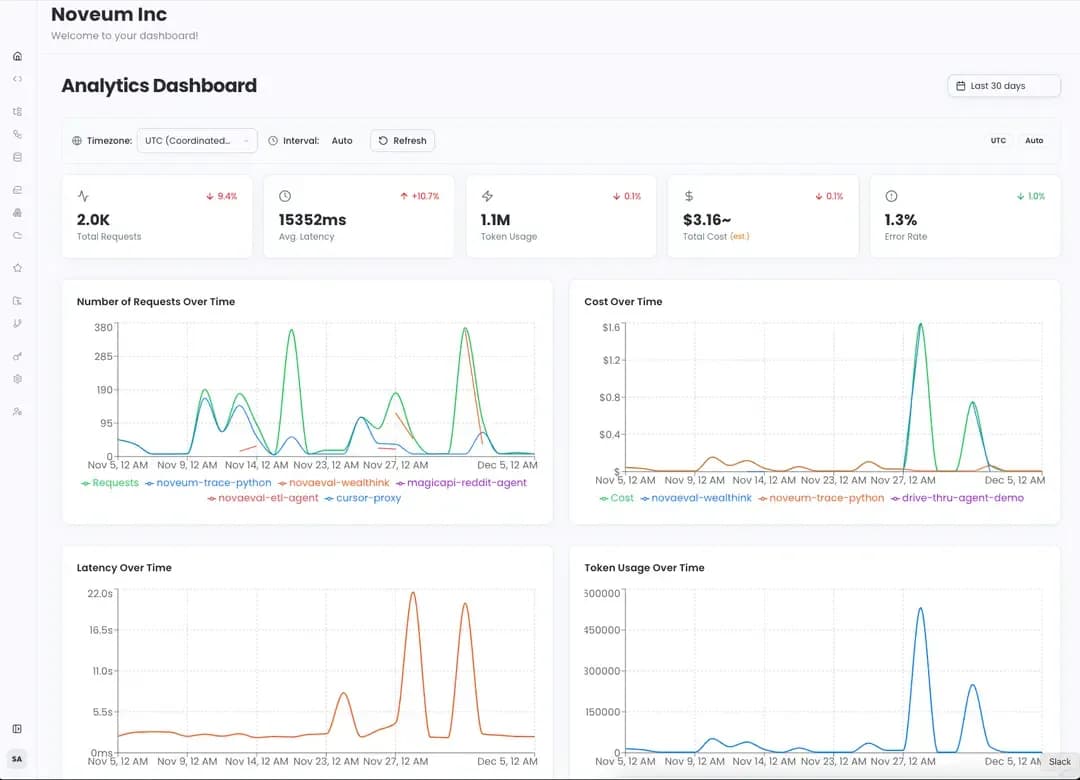
Monitoring AI agents in production is fundamentally different from monitoring traditional software. While metrics like latency, error rates, and uptime are still important, they don't tell the whole story. An AI agent can be technically "working"—responding quickly and without errors—but still be failing spectacularly by providing false information, violating compliance rules, or taking inefficient, costly actions.
This guide provides a comprehensive overview of how to effectively monitor AI agents in production. We'll cover why agent monitoring is unique, the key metrics you need to track, and how a new generation of AI-powered platforms can automate the entire process, moving you from simple monitoring to continuous improvement.
Why Monitoring AI Agents is Different
Traditional Application Performance Monitoring (APM) tools were built for a world of deterministic logic. They are excellent at tracking things like database query times and API response codes. However, they are blind to the unique failure modes of AI agents:
Hallucinations
An agent can generate plausible but factually incorrect information. A traditional APM tool will see a successful API call with a 200 OK status, while the agent is confidently misleading a customer.
Compliance Violations
An agent might discuss prohibited topics or leak sensitive data. APM tools cannot understand the semantic content of the agent's responses to flag these violations.
Inefficiency
An agent could take ten steps to solve a problem that should only take three, or use an expensive, powerful model for a simple task. This leads to inflated costs that traditional tools can't diagnose.
Poor Quality
An agent's responses might be grammatically correct but unhelpful, irrelevant, or off-brand. These qualitative failures are invisible to standard monitoring.
The Bottom Line: To truly understand agent performance, you need a solution that can analyze not just the operational metrics, but the quality, correctness, and efficiency of every single agent interaction.
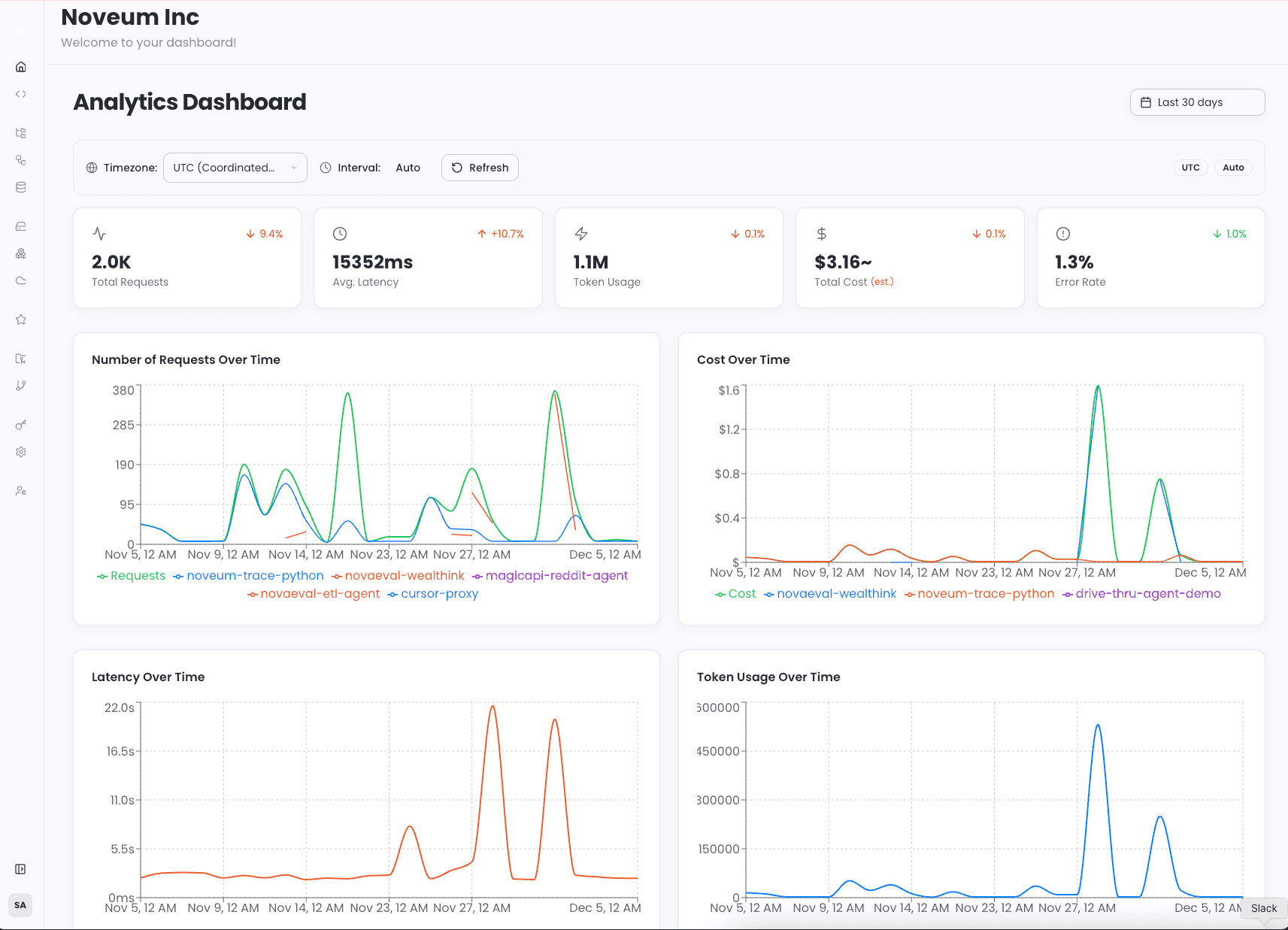
5 Steps to Set Up Effective AI Agent Monitoring
Setting up a robust monitoring strategy for your production agents involves a systematic approach. Here are five key steps to get started.
Step 1: Implement Comprehensive Tracing
The foundation of any good monitoring system is tracing. You need to capture the end-to-end journey of every request as it moves through your agentic system. This includes:
- The initial user prompt
- All LLM calls, including the model used, prompts, and completions
- Tool calls, including the parameters and results
- Database queries and other external API calls
- The final response delivered to the user
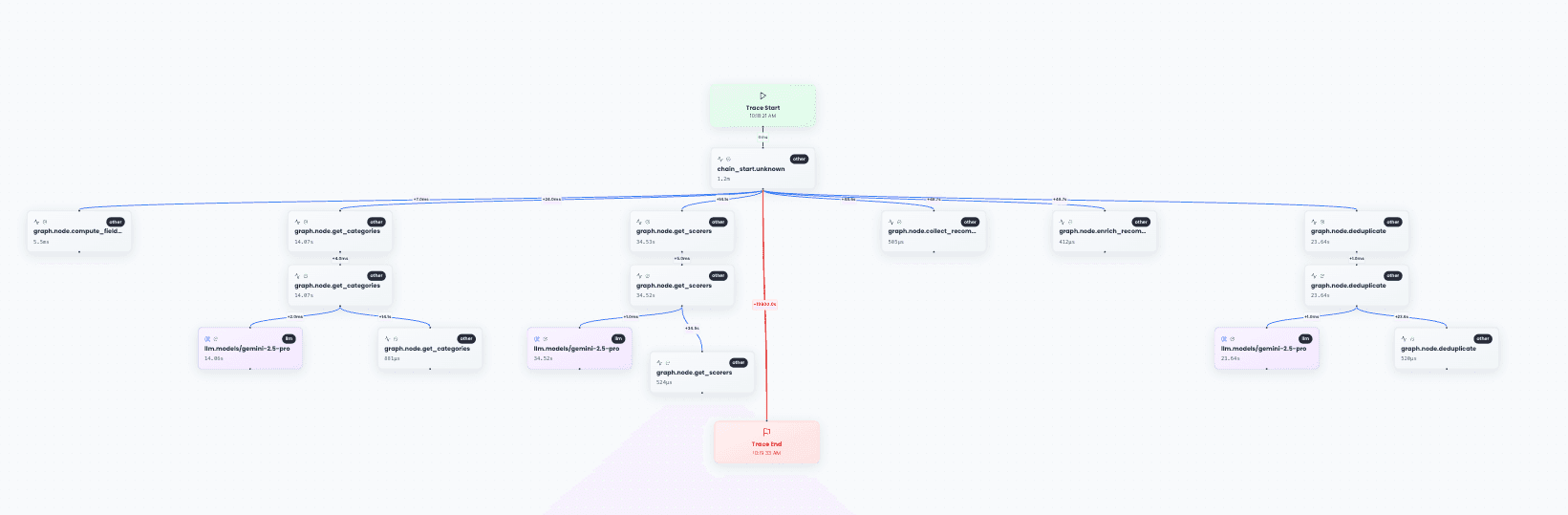
This complete, hierarchical trace provides the raw data needed for analysis. With a visual trace explorer, you can see exactly how your agent processes each request and where bottlenecks or failures occur.
Step 2: Establish a "Ground Truth" for Evaluation
Once you have traces, you need a baseline to evaluate them against. The traditional approach is to create a manually labeled "golden dataset," where humans define the "correct" output for a given input. This is incredibly slow, expensive, and doesn't scale.
A modern, automated approach uses the agent's system prompt as the ground truth. The system prompt is the source of truth for how an agent should behave. By evaluating the agent's actions against its own instructions, you can automate evaluation without manual labeling.
Step 3: Define and Track Multi-Dimensional Metrics
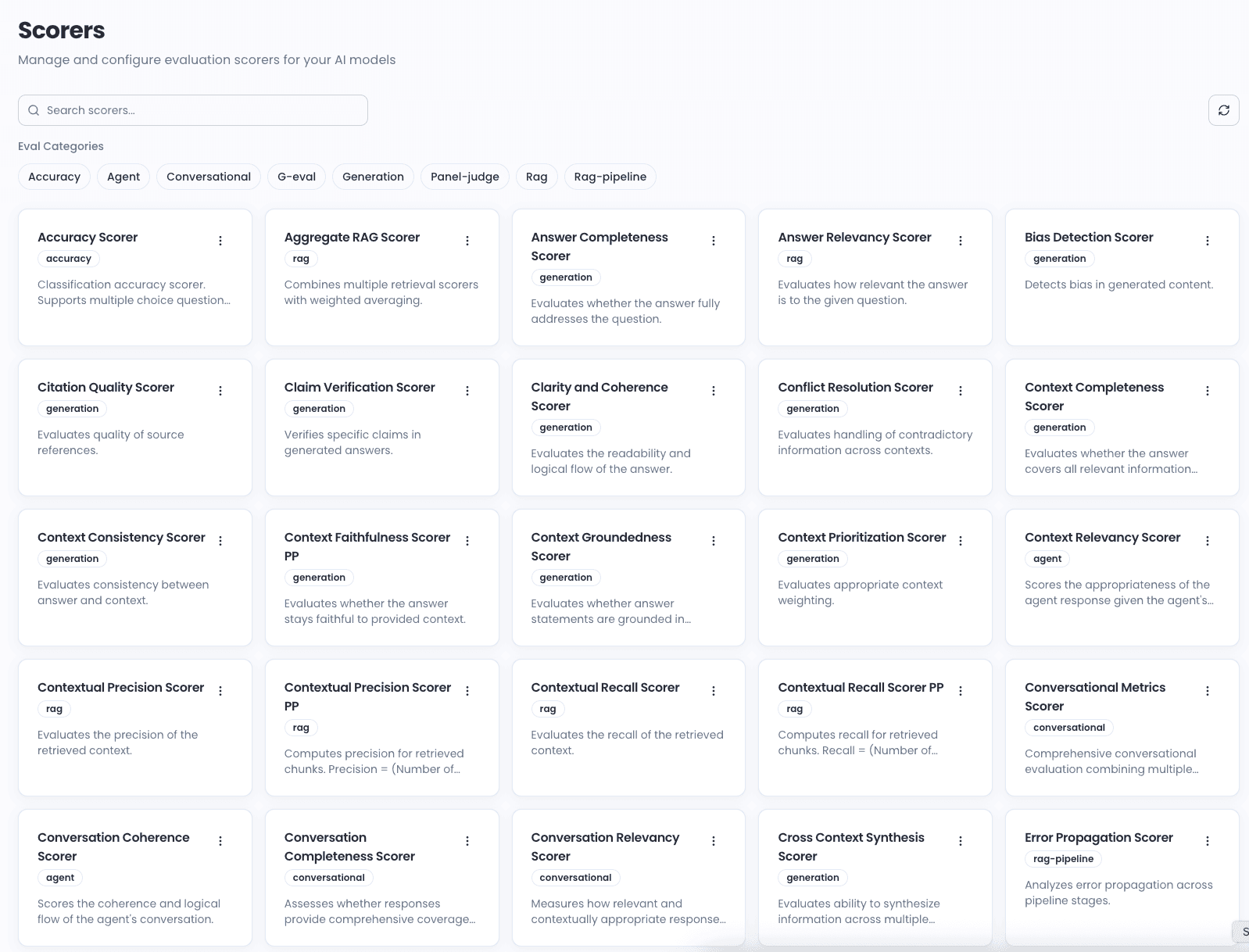
Don't rely on simple metrics like accuracy or latency. You need to track a wide range of metrics that cover different dimensions of agent quality. These can be grouped into several categories:
| Metric Category | Examples |
|---|---|
| Correctness & Quality | Faithfulness (hallucination detection), Answer Relevance, Role Adherence |
| Efficiency | Task Progression, Tool Relevancy, Cost per Interaction |
| Safety & Compliance | PII Detection, Response Safety, Prompt Injection Detection |
| User Experience | Coherence, Fluency, User Satisfaction (predicted) |
With 68+ specialized evaluation scorers, you can measure every dimension of your agent's behavior—from hallucination detection to bias assessment.
Step 4: Automate the ETL and Evaluation Process
Raw traces are complex and messy. Manually converting them into a clean, structured format for evaluation is a major bottleneck. An automated ETL (Extract, Transform, Load) pipeline is essential.
This process should automatically:
- Extract key information from complex, nested traces
- Transform it into a clean, structured dataset item
- Load it into an evaluation engine to be scored against your defined metrics
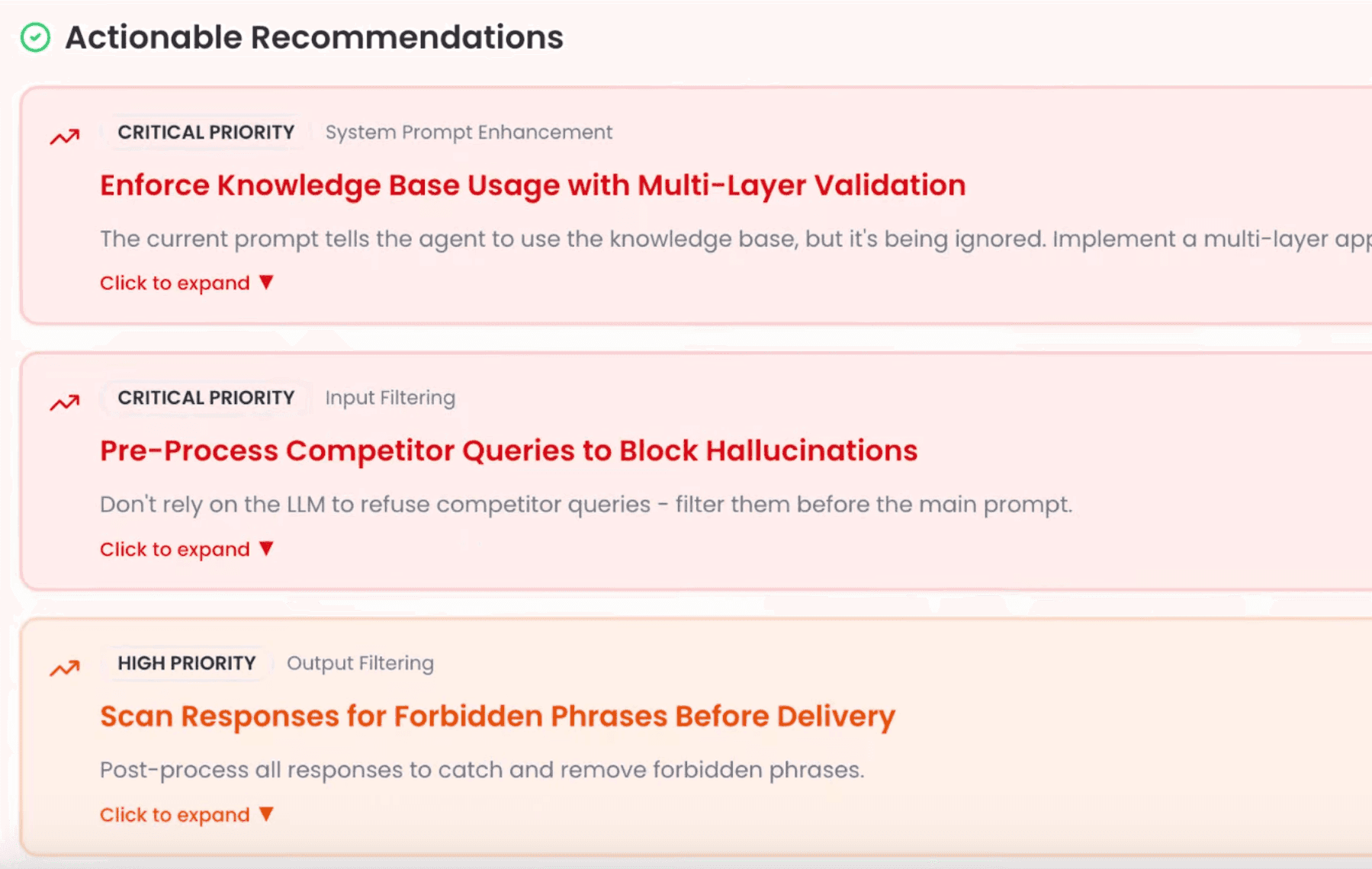
Step 5: Implement Automated Root Cause Analysis
Getting a low score on a metric is only half the battle. The real challenge is understanding why the score is low. Is a low "Goal Achievement" score caused by a bad prompt, incorrect tool usage, or a model limitation?
An automated root cause analysis engine can analyze patterns across all your metrics to pinpoint the underlying problem and even suggest a fix. With AI-powered analysis, you don't just see that something failed—you understand exactly what went wrong and how to fix it.
The Key Metrics You Must Track
When monitoring AI agents in production, focus on these critical metric categories:
Correctness Metrics
- Faithfulness Score: Measures whether the agent's response is factually grounded in the provided context. Detects hallucinations.
- Answer Relevancy: Evaluates how well the response addresses the user's actual question.
- Role Adherence: Checks if the agent follows its defined persona and instructions.
Efficiency Metrics
- Task Progression: Measures whether the agent is making meaningful progress toward the goal.
- Tool Usage Correctness: Validates that the agent uses tools appropriately and with correct parameters.
- Token Efficiency: Tracks token consumption relative to task complexity.
Safety Metrics
- Toxicity Detection: Identifies harmful, offensive, or inappropriate content.
- PII Detection: Flags potential leakage of personally identifiable information.
- Prompt Injection Detection: Identifies attempts to manipulate the agent.
Cost Metrics
- Cost per Interaction: Total cost including all LLM calls and tool usage.
- Model Selection Efficiency: Whether the agent uses appropriate models for task complexity.
Real-World Monitoring Architecture
Here's what a production-grade AI agent monitoring setup looks like:
┌─────────────────────────────────────────────────────────────┐
│                    Production Environment                     │
├─────────────────────────────────────────────────────────────┤
│  ┌─────────┐    ┌─────────┐    ┌─────────┐    ┌─────────┐  │
│  │  User   │───▶│  Agent  │───▶│  Tools  │───▶│Response │  │
│  │ Request │    │  Logic  │    │  & APIs │    │         │  │
│  └─────────┘    └────┬────┘    └────┬────┘    └─────────┘  │
│                      │              │                        │
│                      ▼              ▼                        │
│               ┌─────────────────────────┐                   │
│               │    Tracing SDK          │                   │
│               │  (Auto-instrumentation) │                   │
│               └───────────┬─────────────┘                   │
└───────────────────────────┼─────────────────────────────────┘
                            │
                            ▼
┌───────────────────────────────────────────────────────────────┐
│                    Noveum.ai Platform                          │
├───────────────────────────────────────────────────────────────┤
│  ┌────────────┐  ┌────────────┐  ┌────────────┐              │
│  │   Trace    │  │    ETL     │  │ Evaluation │              │
│  │  Storage   │─▶│  Pipeline  │─▶│   Engine   │              │
│  └────────────┘  └────────────┘  └─────┬──────┘              │
│                                        │                      │
│                                        ▼                      │
│  ┌────────────┐  ┌────────────┐  ┌────────────┐              │
│  │  Alerts &  │◀─│  NovaPilot │◀─│  68+ AI    │              │
│  │  Actions   │  │   (RCA)    │  │  Scorers   │              │
│  └────────────┘  └────────────┘  └────────────┘              │
└───────────────────────────────────────────────────────────────┘
Getting Started: Minimal Code Integration
The best monitoring solutions require minimal changes to your existing code. Here's how easy it is to add comprehensive tracing:
Python SDK
# Install: pip install noveum-trace

import openai
from noveum_trace import trace_llm_call

# Just wrap your LLM call in a context manager
with trace_llm_call(model="gpt-4o", provider="openai"):
    response = openai.chat.completions.create(
        model="gpt-4o",
        messages=[{"role": "user", "content": "Tell me about Noveum.ai"}]
    )
TypeScript SDK
// Install: npm install @noveum/trace

import { initializeClient } from "@noveum/trace";

const client = initializeClient({
  apiKey: process.env.NOVEUM_API_KEY!,
  project: "my-ai-agent",
});

const result = await client.trace("user-query", async () => {
  return processUserQuery(query);
});
Context Manager Tracing
For more complex agent workflows, use nested context managers for explicit tracing:
from noveum_trace import (
    trace_agent_operation,
    trace_llm_call,
    trace_operation,
)


def handle_support_query(user_message: str) -> str:
    with trace_agent_operation(
        agent_type="customer_support",
        operation="handle_query",
    ):
        intent = analyze_intent(user_message)
        docs = search_knowledge_base(intent)
        return generate_response(user_message, docs)


def search_knowledge_base(query: str) -> list:
    with trace_operation("knowledge_base_search"):
        return vector_db.search(query)


def generate_response(query: str, context: list) -> str:
    with trace_llm_call(model="gpt-4o", provider="openai") as span:
        response = llm.complete(query, context)
        span.capture_response(response)
        return response
The Noveum.ai Difference: From Monitoring to Automated Improvement
Setting up comprehensive AI monitoring manually is a massive undertaking. That's why we built Noveum.ai—an AI-powered platform that automates this entire process. Noveum.ai isn't just a monitoring tool; it's a complete agent quality assurance and optimization platform.
How Noveum.ai Implements the Five Steps
| Step | Manual Approach | Noveum.ai Solution |
|---|---|---|
| Tracing | Build custom instrumentation | SDK captures everything automatically |
| Ground Truth | Create labeled datasets manually | Uses system prompt as ground truth |
| Metrics | Define and implement each metric | 68+ pre-built evaluation scorers |
| ETL | Build custom data pipelines | AI-powered ETL in ~60 seconds |
| Root Cause Analysis | Manual investigation | NovaPilot analyzes and suggests fixes |
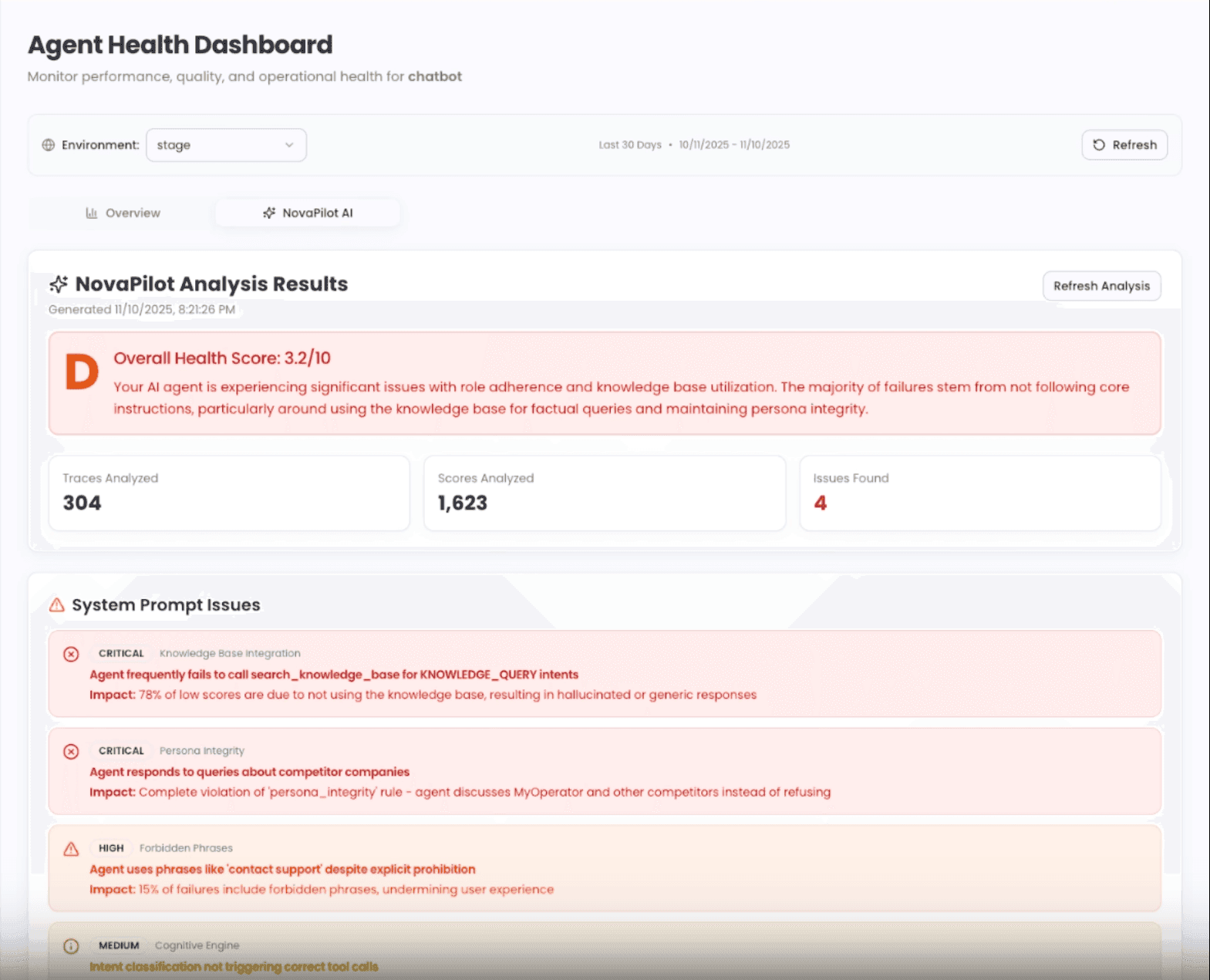
NovaPilot: Your AI Co-Pilot for Agent Debugging
NovaPilot is the core engine that transforms raw evaluation data into actionable insights:
- Pattern Recognition: Identifies common failure patterns across thousands of traces
- Root Cause Analysis: Pinpoints whether issues stem from prompts, tools, or models
- Actionable Fixes: Suggests specific code changes, prompt improvements, or configuration updates
- Continuous Learning: Gets smarter as it analyzes more of your agent's behavior
Dashboard: Complete Visibility at a Glance
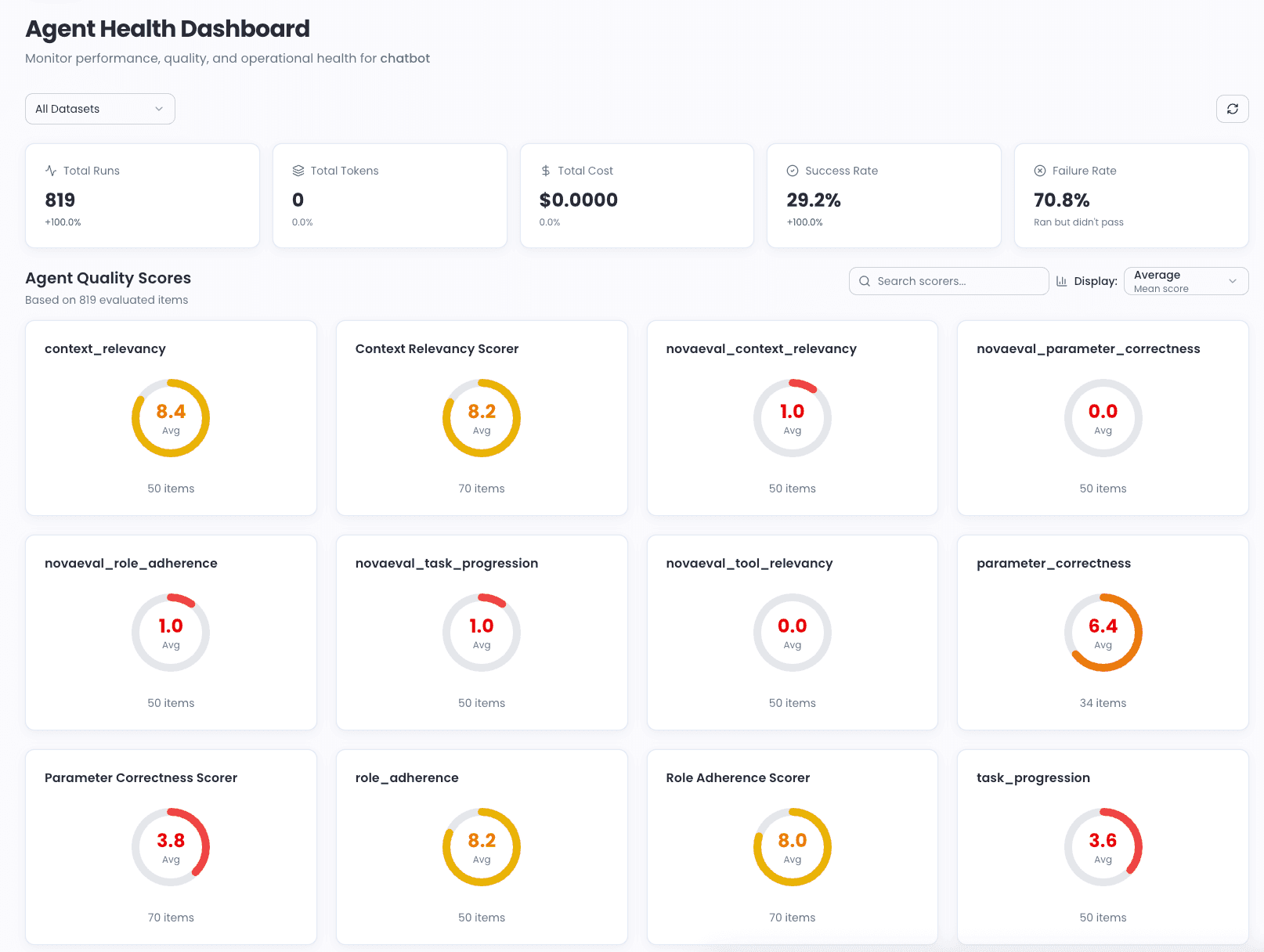
With Noveum.ai's analytics dashboard, you get complete visibility into your agent's health:
What You Can Monitor
- Real-time health scores across all quality dimensions
- Cost trends broken down by model, feature, and user segment
- Error patterns with automatic categorization
- Performance bottlenecks with trace-level drill-down
- Evaluation job status and historical trends
Best Practices for Production AI Agent Monitoring
1. Start Tracing Early
Don't wait until you have production issues. Implement tracing from day one so you have baseline data to compare against.
2. Define Success Metrics Before Launch
Know what "good" looks like for your specific use case. Different applications have different quality requirements.
3. Set Up Alerts Proactively
Configure alerts for:
- Accuracy drops below threshold (e.g., faithfulness < 7/10)
- Cost spikes (e.g., > 2x daily average)
- Latency degradation (e.g., p95 > 3 seconds)
- Safety violations (e.g., any toxicity detection)
4. Review Traces Regularly
Even with automated analysis, periodically review raw traces to understand edge cases and user behavior patterns.
5. Iterate on Evaluations
Your evaluation criteria should evolve as your agent improves and user needs change.
Frequently Asked Questions (FAQ)
How is monitoring AI agents different from monitoring traditional microservices?
Traditional monitoring focuses on operational metrics like latency and errors. Agent monitoring must also evaluate the quality, correctness, and safety of the agent's behavior, which requires understanding the semantic content of its interactions—not just whether it returned a 200 status code.
What are the most important metrics to track for production AI agents?
Beyond standard operational metrics, you must track:
- Faithfulness (to detect hallucinations)
- Role Adherence (to ensure it follows instructions)
- Tool Correctness (to verify proper tool usage)
- Goal Achievement (to confirm it's solving the right problem)
- Cost Efficiency (to manage operational expenses)
How can I get started with AI agent monitoring?
The easiest way is to use a specialized platform like Noveum.ai. Our SDK allows you to get started with comprehensive tracing and evaluation in under 5 minutes—just add a few lines of code to your existing agent.
Do I need to create test datasets manually?
No! Modern approaches like Noveum.ai's system-prompt-as-ground-truth methodology eliminate the need for manual labeling. Your agent's system prompt defines expected behavior, and the platform evaluates against that automatically.
What's the difference between LLM-based and rule-based scorers?
- Rule-based scorers use deterministic checks (regex, exact match, format validation)
- LLM-based scorers use AI judges to evaluate nuanced qualities like relevance, coherence, and safety
The best monitoring systems use both approaches—rules for what can be checked deterministically, and LLMs for subjective quality assessment.
How does monitoring impact agent performance?
With efficient SDKs like Noveum.ai's, overhead is minimal (typically < 5ms per trace). Tracing can also be sampled in high-volume scenarios to further reduce impact.
Conclusion
Effective monitoring is the bedrock of building reliable, high-performing AI agents. But the old approach of tracking simple metrics and manually investigating failures is no longer sufficient. To succeed in the new era of AI, you need a solution that can automatically:
- Trace every interaction with complete context
- Evaluate across dozens of quality dimensions
- Analyze patterns to pinpoint root causes
- Recommend specific, actionable fixes
Noveum.ai provides this end-to-end solution, moving you from reactive debugging to proactive, continuous improvement.
Ready to Stop Flying Blind?
Your AI agents are making thousands of decisions every day. Do you know if they're making the right ones?
Try Noveum.ai for free and see what's really happening inside your agents. Get comprehensive tracing, 68+ evaluation scorers, and AI-powered root cause analysis—all without building custom infrastructure.
👉 Start Free Trial | View Documentation | Book a Demo
Let's build more reliable, observable AI—together.
Get Early Access to Noveum.ai Platform
Join the select group of AI teams optimizing their models with our data-driven platform. We're onboarding users in limited batches to ensure a premium experience.