
From Traces to Tested Changes: Noveum’s Evaluation Workflow

Shashank Agarwal
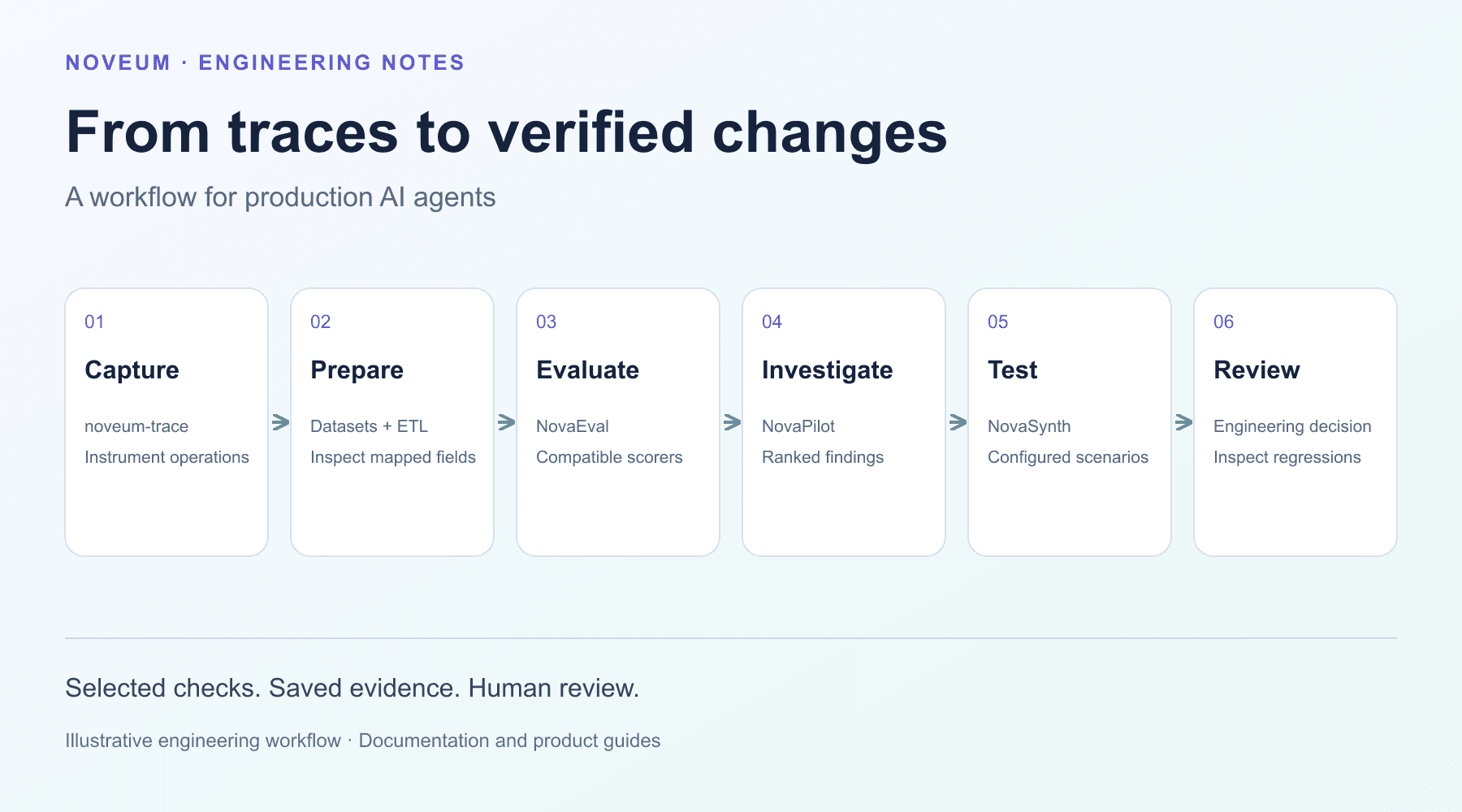
Updated October 29, 2026. The integration walkthrough now uses verified Python interfaces and distinguishes trace capture from evaluation and engineering review. Earlier illustrative savings figures and outdated UI screenshots have been removed.
An AI application’s logs can show that a request finished without establishing why its answer was useful or wrong. A more useful investigation keeps the application operations, source context and evaluation result connected.
This walkthrough explains that path in Noveum. I’m Shashank Agarwal, its founder and CEO and the creator of API.market. The example is illustrative, not a customer case study. This refresh was drafted with AI assistance.
1. Instrument a bounded workflow
Start with one operation whose input, output and owner are clear. For a retrieval-based support agent, the first boundary might be the step that chooses which knowledge-base section to search.
Install the Python tracing SDK and initialize it once before instrumented work begins:
pip install noveum-traceimport os
import noveum_trace
noveum_trace.init(
api_key=os.environ["NOVEUM_API_KEY"],
project="support-agent",
environment="development",
)
def select_section(question: str) -> str:
with noveum_trace.trace_operation("select_section") as span:
section = "billing" if "invoice" in question.lower() else "general"
span.set_attribute("retrieval.section", section)
return section
if __name__ == "__main__":
print(select_section("How do I find my invoice?"))
noveum_trace.flush()This minimal example captures a local routing operation. It does not retrieve real customer data, call a paid model or create an evaluation job. Add instrumentation around actual retrieval, model and tool operations as your integration requires.
The SDK creates an operation span when initialized and can create a trace when no current trace exists. Its context-manager implementation documents this behavior. Consult the current integration guide for release versioning and supported framework paths.
2. Inspect the captured evidence
Run one representative request and inspect the resulting trace. Confirm that the operations you intended to capture are present and connected correctly.
For a retrieval workflow, useful evidence may include the retrieval query, selected source identifiers, the context passed to a model and the resulting answer. Include only fields appropriate for your data-handling requirements. If an integration does not supply a needed field, the later evaluation cannot infer it reliably from nothing.
Do not treat a displayed cost estimate as a provider invoice. Check token metadata, configured rates and the treatment of tool charges separately.
3. Prepare evaluation items
Raw traces and evaluation items are different representations. A trace describes operations. An evaluation item supplies the fields a chosen check needs.
Use the platform’s dataset and ETL workflow to map relevant captured data, then inspect representative transformed items. Check that roles, messages, retrieved context, tool operations and expected outputs mean what the evaluator expects. Missing fields and incorrect mapping can produce misleading results even when a scoring job completes.
4. Choose checks that answer a specific question
For an article-summary or support-answer workflow, separate these questions:
- Was the retrieved material relevant to the request?
- Is the answer supported by the supplied material?
- Did the agent follow its role and action constraints?
- Did the final result meet the task’s requirements?
Select compatible evaluators from the published scorer library. Preserve the native result and saved pass decision. A system prompt can describe expected behavior; factual correctness may require source documents, reviewed references or human judgment.
5. Turn a finding into a testable change
Suppose an answer cites the wrong product’s return policy. A failing result should lead to the relevant dataset item and trace, not just an aggregate score.
Inspect which product the user asked about, which source was retrieved and which context reached the model. A candidate change might add a product filter or improve the way an unavailable policy is handled. The trace and score support that investigation; they do not independently prove which change will work.
NovaPilot organizes findings and recommendations for review. NovaSynth can exercise configured agents with selected personas and scenarios. Test a reviewed candidate, compare outcomes on relevant cases and inspect regressions before releasing it.
What to record when comparing versions
Keep the application or agent version, dataset selection, scorer configuration, model settings where relevant and the resulting evidence together. Compare like-for-like runs where possible, and state which part of the workflow changed.
Measure latency and cost in your actual workload. The earlier version of this article used example savings percentages; those were not a measured customer result and are not retained as product promises.
The monitoring guide expands on the operational workflow. The eval-driven development guide describes how to bring representative cases into development and release decisions.
Follow my work on production AI and developer infrastructure on LinkedIn.
Get Early Access to Noveum.ai Platform
Join the select group of AI teams optimizing their models with our data-driven platform. We're onboarding users in limited batches to ensure a premium experience.